Service Requests
Every complaint counted and owned
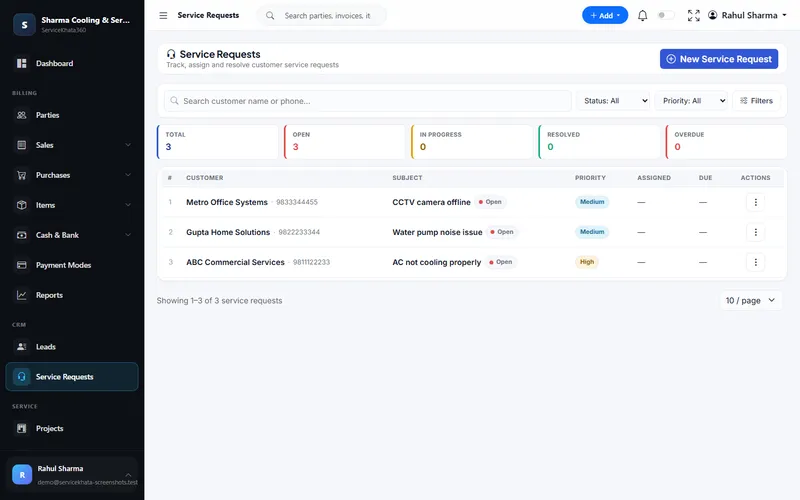
Total, Open, In Progress, Resolved and Overdue at a glance; each request with subject, priority, technician and due date.
More about Service RequestsLog complaints, assign technicians, schedule filter-change visits under AMC, bill parts and service, and see renewals coming — all against the same customer record.
An RO business earns from the same customers again and again — filter changes, complaints and yearly AMCs. That repeat revenue depends on remembering every customer, every visit and every renewal.
"Low water flow" messages scattered across personal phones.
No schedule showing which customers are due this month.
No record of who visited, what was replaced or what was said.
Contracts expire silently and the customer moves on.
Filters and membranes used on visits never reach the bill or the stock count.
A new technician arrives knowing nothing about the unit.
The RO workflow from the ServiceKhata360 catalogue — customer, complaint, technician, service, AMC and renewal — with billing and stock in the same system.
Every screen below is a real ServiceKhata360 screen captured with demo data. Click any screenshot to enlarge it.
Total, Open, In Progress, Resolved and Overdue at a glance; each request with subject, priority, technician and due date.
More about Service Requests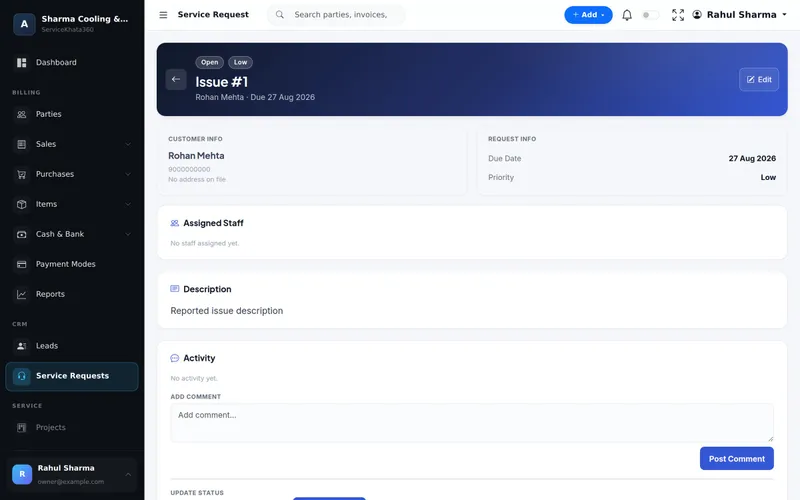
Customer, due date, priority, assigned staff, description and an activity log of comments and status updates — kept against the customer.
More about Service Requests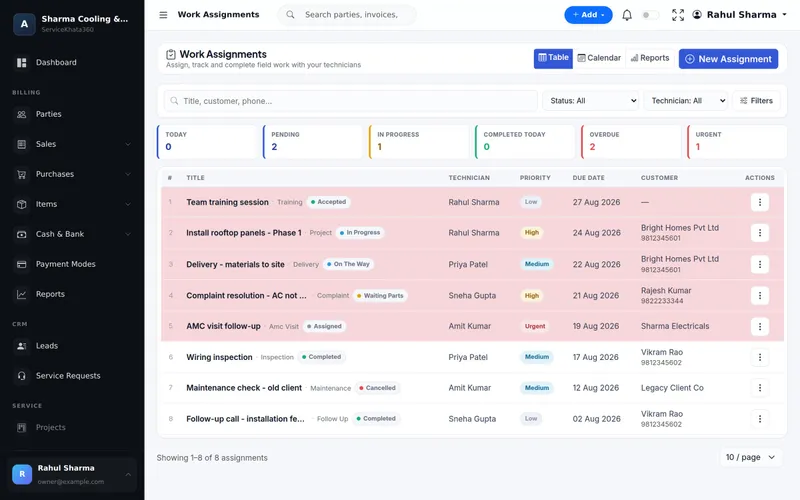
Complaint and AMC visits as assignments with technician, priority and due date. Overdue rows are highlighted.
More about Work Assignment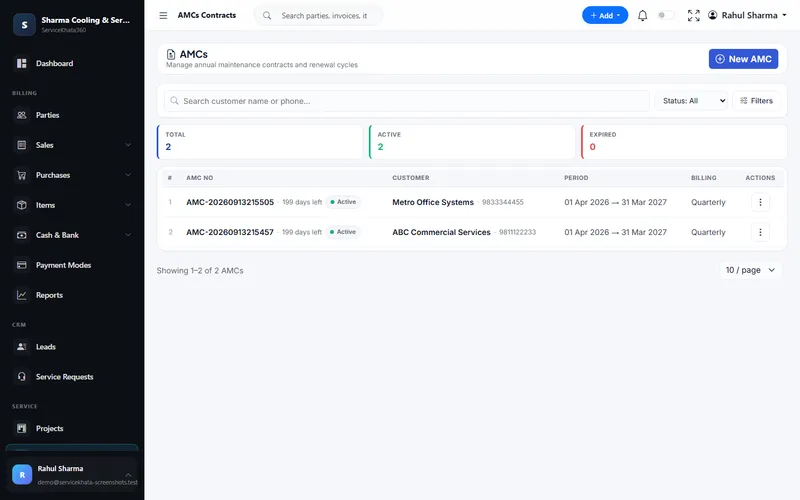
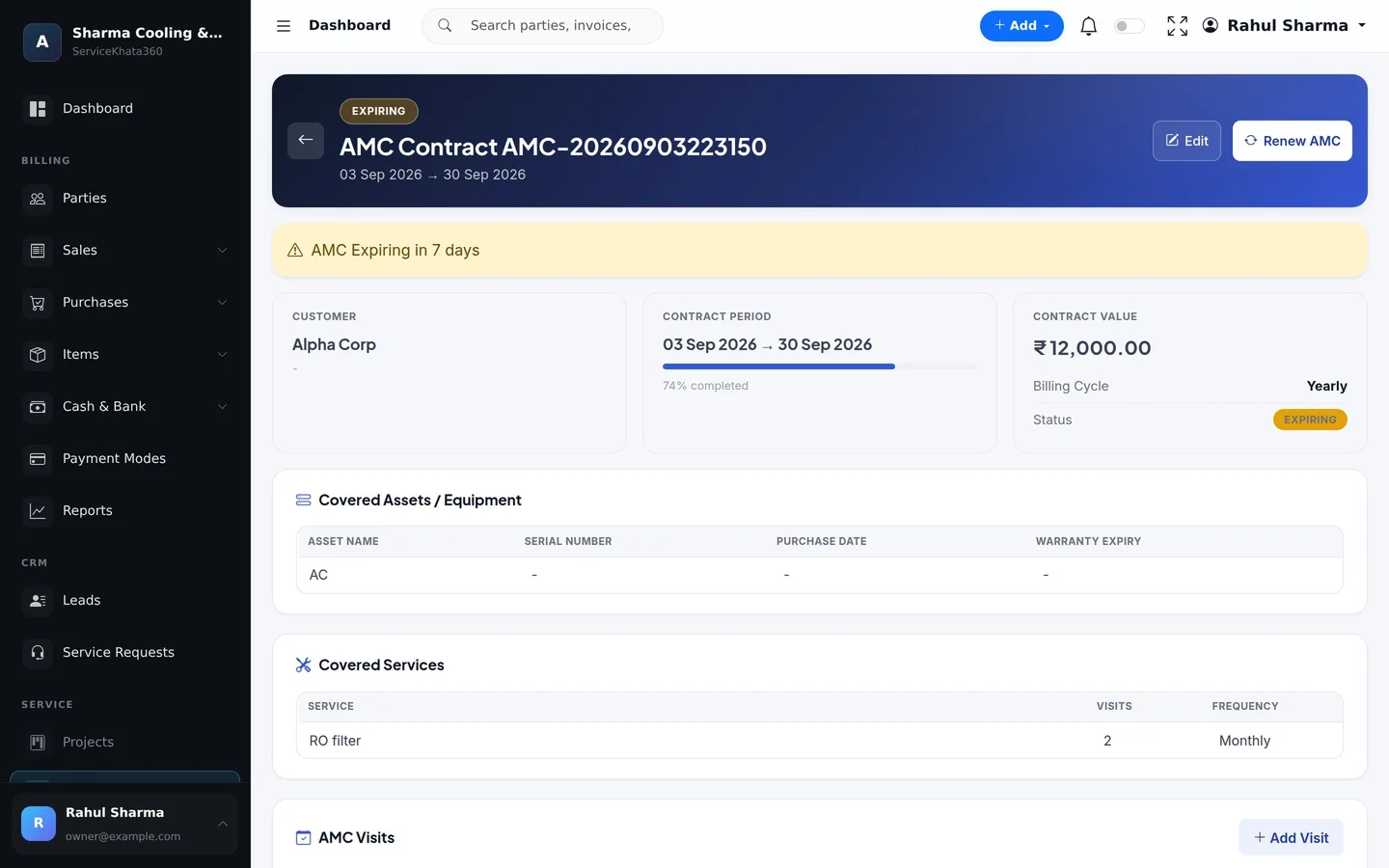
Active and expired counts, days left on each contract, period and billing cycle — Monthly, Quarterly or Yearly.
More about AMC Management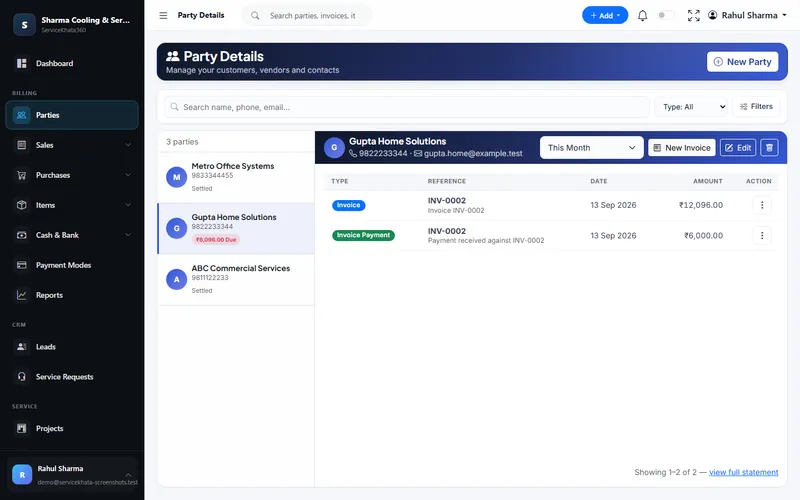
Every invoice and payment for the customer, and whether they are Settled or have an amount due.
More about Service CRM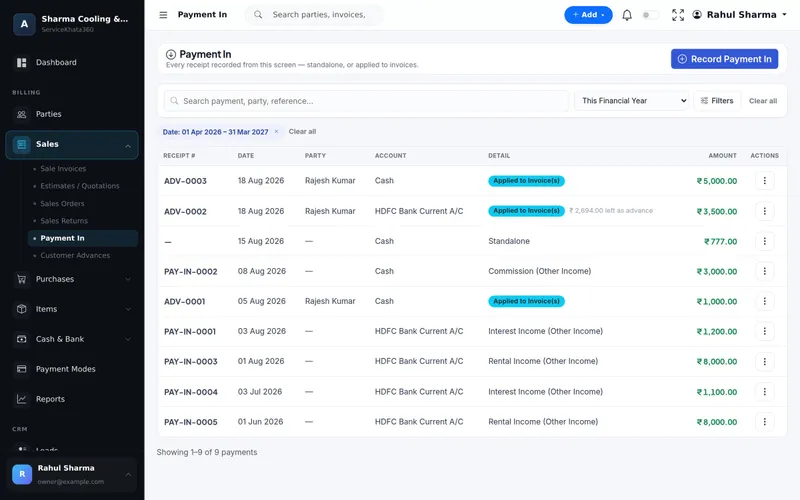
Receipts applied to invoices, kept as an advance, or recorded as other income — in cash or a specific bank account.
More about Billing & AccountingWant to see these screens with your own items and customers? We'll set up a demo around your RO service workflow.
Book a Free DemoComplaints, visits, parts billed, payments and the AMC all belong to one customer. The technician walking in for a filter change can see what was done last time and whether the contract is about to expire.
Enter data once, and let it flow.
All of these are part of the same platform — sharing one database, so nothing has to be reconciled by hand.
Invoices, payments and dues on one customer page.
Subject, priority, technician, due date and status.
Comments and status updates on every request.
Complaint and AMC visits scheduled per technician.
Period, value, billing cycle and covered assets.
e.g. RO filter — number of visits, monthly or quarterly.
Visit date, technician and Pending, Completed or Skipped.
Days left, Expiring status and Renew AMC.
Filters, membranes and spares with live stock.
Bill parts and service charges with Paid, Partial and Due.
Acknowledge new complaints and send AMC renewal reminders.
Service due, expiry, technician, ageing and resolution.
WhatsApp messages go out from your own WhatsApp number, linked to ServiceKhata360 with a one-time QR scan — our team helps you set it up during onboarding.
Every request has a priority, technician and due date.
Visit frequency set on the AMC, visits tracked to completion.
Visits marked Completed with remarks; overdue jobs highlighted.
Contracts flagged as Expiring in time to call the customer.
Billing a filter reduces stock automatically.
Past complaints, payments and AMC on one customer.
Automatic "we've logged your request" messages on WhatsApp.
AMC reports for service due, expiry and technician.
Based on the RO examples in the ServiceKhata360 catalogue.
Illustrative scenario showing how existing ServiceKhata360 modules fit together — not a customer testimonial.
See this flow in a demo"Low water flow" logged against the customer with a priority.
Work assignment with a due date; the customer can receive technician details on WhatsApp.
Status moves On The Way → In Progress.
Remarks recorded on the request.
The filter goes on the invoice and stock reduces.
Status Resolved — the customer's service history shows the whole job.
A 1-year AMC with 4 visits for the customer.
Each scheduled, assigned and marked Completed.
Next month's expiry shows the contract as Expiring.
Renew AMC starts the next term from the same contract.
One plan, every module
Plans include Billing, Accounting, Inventory, CRM & Sales, Service, Workforce and Automation — no separate add-ons. Some advanced items (for example Projects or extra firms) depend on the plan; our team will confirm what fits your business.
See ServiceKhata360 with your own workflow — complaints, technicians, filter-change visits, billing and AMC renewals.
Mon–Sat · 10:00 AM – 6:00 PM IST
Practical guides on the everyday work behind a RO service business.
A practical guide for RO dealers and service providers: customer records, service calls, technicians, filter s...
Visiting charges, filters, membranes, AMC and new purifiers — how RO businesses can quote clearly, bill every...
Sediment filters, carbon cartridges, membranes, pumps and adapters — practical ways for RO businesses to keep...
From "low water flow" to "leaking from the bottom" — how to register RO complaints consistently, assign techni...
AMC is the steadiest income an RO business has — if visits happen on time and contracts renew. How to set up R...