How to Manage RO Spare Parts and Filter Inventory
Sediment filters, carbon cartridges, membranes, pumps and adapters — practical ways for RO businesses to keep spare-parts stock accurate, reorder on time and make sure every part used on a visit is billed.
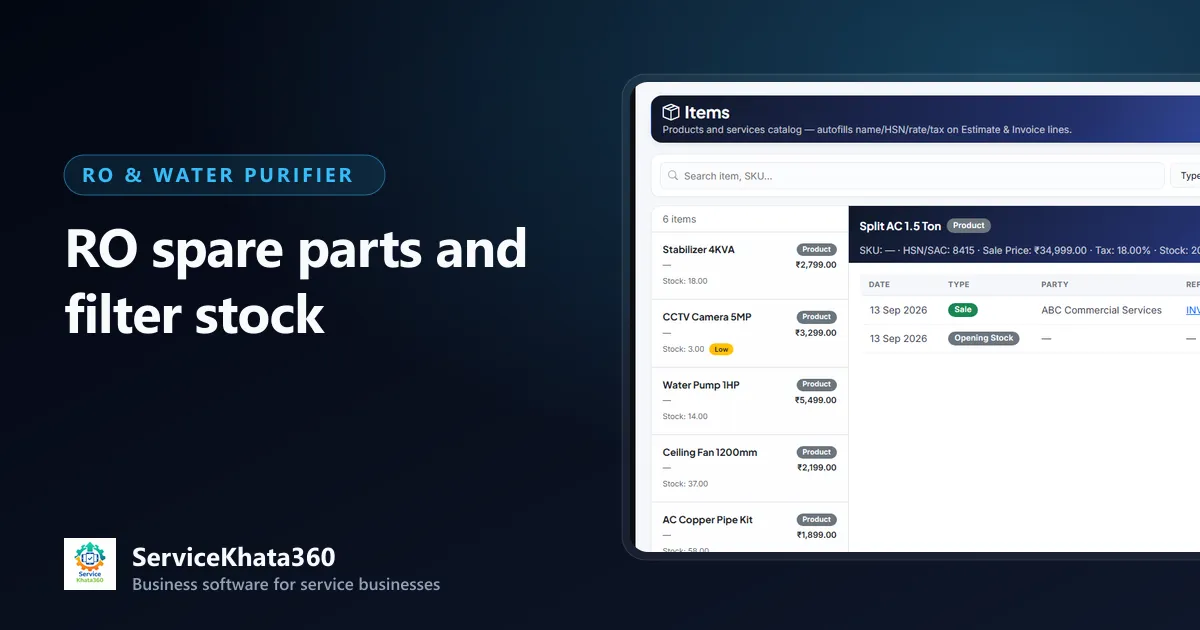
An RO service business is also a small parts shop. Every day, technicians leave with sediment filters, carbon cartridges, membranes, booster pumps, SMPS adapters and solenoid valves, and come back with some of them. When stock is not tracked closely, two things happen: a technician reaches a customer and the membrane they need is not in the van, and parts are used on visits but never reach the bill. Both cost money, and the second one is usually invisible.
This guide covers practical ways to manage RO spare parts and filter inventory. The first sections are general operating advice that applies whatever system you use; the last section explains what ServiceKhata360 does and does not record.
What a typical RO business stocks
- Filters and cartridges — sediment (spun) filters, pre-carbon and post-carbon cartridges, mineral or alkaline cartridges, UF membranes
- RO membranes — in the capacities your common models use
- Pumps and electricals — booster pumps, SMPS adapters, solenoid valves, low- and high-pressure switches, UV lamps and UV chokes
- Fittings and small parts — flow restrictors, float valves, taps, connectors, elbows, tubing, clamps
- Complete purifiers — units for sale and installation
- Consumables — teflon tape, cleaning chemicals, mounting screws
1. Build one clean item list
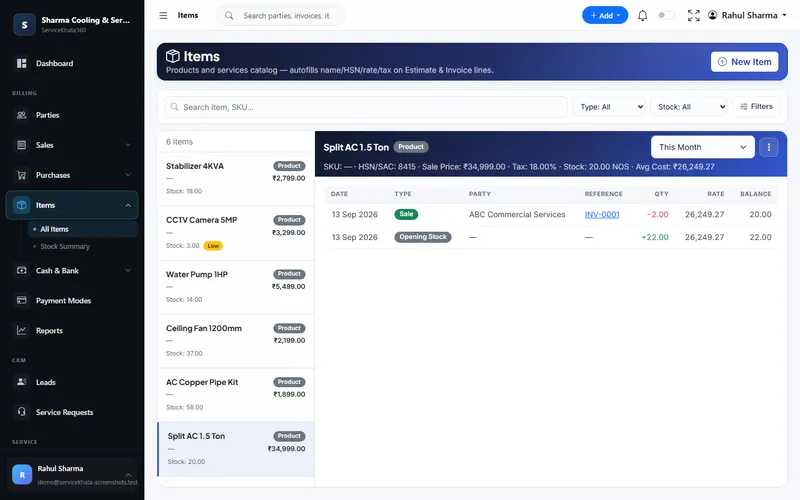
The same filter often exists three times in an RO stock list — "sediment filter", "spun filter 10 inch" and "PP filter". Agree on one naming pattern and use it everywhere: part type, size or capacity, and brand if it matters. For each item record:
- Unit — piece, metre (for tubing), set, box
- HSN code and GST rate, so the item bills correctly
- Purchase price and sale price
- A low-stock level
- Compatible models in the description for brand-specific parts
Keep service charges (installation, visiting charge, general service) as separate service items. They do not carry stock, but having them in the same list makes billing faster and more consistent.
2. Let stock move only through documents
Stock that changes "by hand" never reconciles. A simple rule fixes most problems:
- Supplier bill → stock in
- Customer invoice → stock out
- Purchase return → back to the supplier
- Anything else — damage, a part given free under AMC, a count difference — a stock adjustment with a written reason
When every change has a document or a reason, the question "where did the twelve carbon filters go?" always has an answer.
3. Record purchases properly
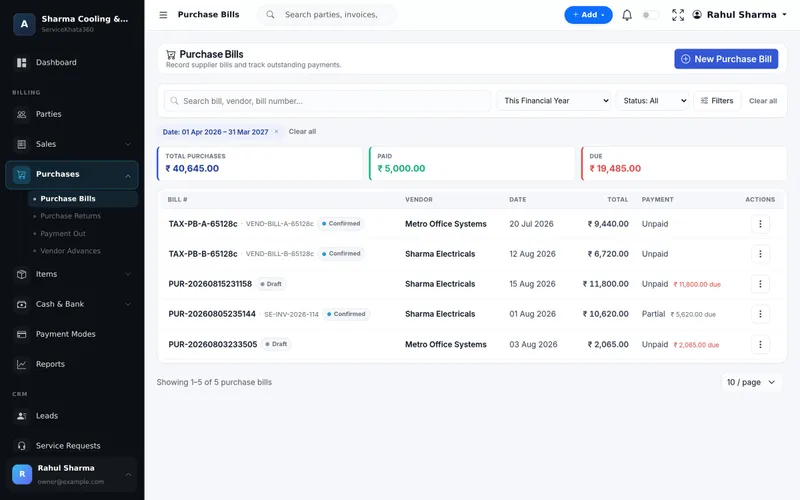
Enter every supplier or distributor bill as a purchase, item by item, with the rates actually paid. This keeps stock correct, shows what you owe each supplier and tells you your real cost per part — which matters when supplier prices change and your service rates have not.
4. Make sure every part used is billed
The biggest inventory leak in RO service is not theft — it is parts that are used on a visit and never billed. A filter costs little, so nobody chases it. Across hundreds of visits a year, it adds up. Two habits close most of the gap:
- A service call is not closed until the parts used are on an invoice, or written off as covered under warranty or AMC.
- Covered parts still leave stock. Record them — as a zero-value line or a stock adjustment with the reason "AMC covered" — so your count stays right.
5. Set reorder levels from your own usage
For each fast-moving part, look at how many you use in a normal month and how many days your supplier takes to deliver. Set the low-stock level high enough to cover that delivery time with some margin. Review the levels a few times a year — usage changes when you take on more AMC customers or start servicing a new brand.
Be careful with slow-moving, model-specific parts. A shelf of membranes or pumps for a model you rarely see ties up money. It is usually better to order those per job and quote the customer accordingly.
6. Manage technicians' van stock
Most RO technicians carry a small kit of common filters and fittings. Treat it as store stock that is temporarily outside the store. Agree a standard kit, refill it against what was billed, and compare the kit with completed jobs once a week. Differences found weekly are small and easy to explain; differences found at year end are not.
7. Know what your stock is worth
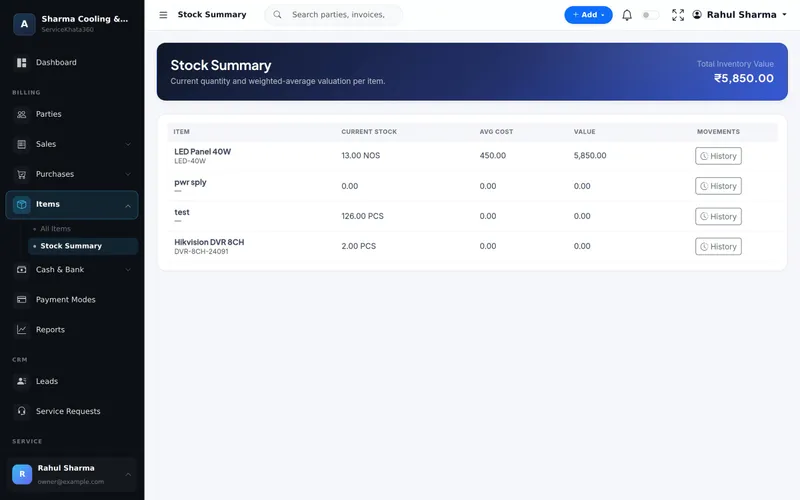
Average cost tells you what your inventory is really worth and what each visit actually cost you. It also highlights dead stock — parts for discontinued purifiers that will never sell.
8. Count a little, often
Instead of one painful annual stock-take, count one category each week — filters this week, membranes next week, electricals after that. Small, regular counts catch problems while they are still easy to trace.
A weekly inventory checklist
- Check the low-stock list and place supplier orders.
- Review service calls waiting for parts and confirm those parts are ordered.
- Match technicians' van stock with jobs completed.
- Count one category and adjust differences with a reason.
- Enter every new supplier bill before the weekend.
Spare parts are one piece of a larger operation. For how stock fits with service calls, billing and AMC, see our guide to managing an RO water purifier service business.
What ServiceKhata360 records — and what it does not
In ServiceKhata360, filters, membranes, pumps and other spares are items with HSN/SAC, tax, sale price, live stock and weighted-average cost. Items below their low-stock level are flagged, and Low Stock and Out of Stock reports list them. Stock changes are linked to the document that caused them: purchase bills add stock and update vendor balances, invoices reduce stock as parts are billed, purchase returns send stock back, and stock adjustments are recorded with a reason. Serial numbers can be recorded for individual units such as purifiers sold under warranty.
Parts are not recorded on the service request itself — stock leaves when the part is billed on an invoice or adjusted. That is why the "no closing without billing" habit above matters. ServiceKhata360 also does not track a separate van-stock location per technician, so the weekly kit check is a process you run alongside the system.
Read more about inventory management and purchase and vendor management, or see how stock connects to complaints and AMC on the RO service management software page.
Frequently Asked Questions
How do I set a reorder level for RO filters?
How should parts given free under AMC be recorded?
Does ServiceKhata360 track parts used on each service request?
Looking for one system to manage your RO service business?
See ServiceKhata360 with your own workflow — complaints, technicians, filter-change visits, billing and AMC renewals.