RO Service Billing and Payment Management: A Practical Guide
Visiting charges, filters, membranes, AMC and new purifiers — how RO businesses can quote clearly, bill every visit the same day, handle GST correctly and keep outstanding payments under control.
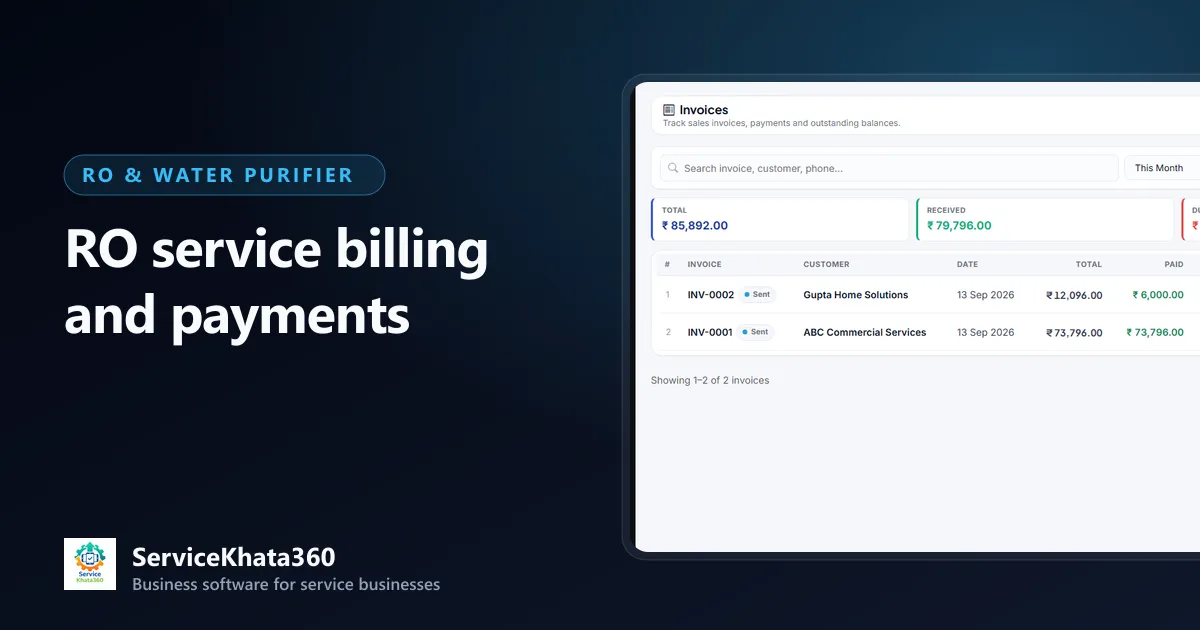
Billing in an RO business is made of many small amounts. A visiting charge, a sediment filter, a membrane, a yearly AMC, a new purifier with installation. Each one is easy to bill. The problem is that there are so many of them — and when they are written on paper slips, typed into a spreadsheet at the end of the week or "noted for later", some never get billed and others never get collected.
This guide covers a practical approach to RO service billing: estimates, service charges, spare-parts billing, GST invoices, outstanding payments and keeping it all tied to the customer.
Know what you bill for
Most RO revenue falls into a few types. Setting each up as a standard item with a fixed rate makes billing fast and consistent across technicians:
- Service charges — visiting charge, general service, installation, uninstallation and reinstallation when a customer shifts house
- Spare parts — filters, cartridges, membranes, pumps, adapters, valves, UV lamps
- AMC — yearly, quarterly or monthly contract value
- Product sales — complete purifiers, sometimes with installation material
Show service charges and parts as separate lines on the bill. Customers accept a clear "Membrane ₹X + Service charge ₹Y" far more easily than a single lump sum.
Use estimates for anything beyond routine work
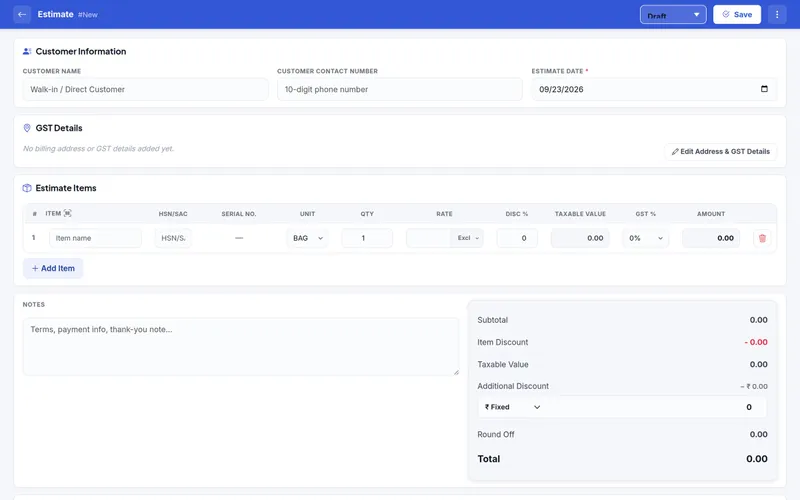
For a standard filter change at a known rate, an invoice is enough. For everything else — a membrane plus pump, a commercial plant service, a new installation — send an estimate first. A good estimate:
- Lists each part and the service charge on its own line
- Shows GST separately if you are registered
- Mentions validity and anything excluded
- Goes out the same day, while the customer is still deciding
When the customer approves, convert the estimate into the invoice instead of typing it again. That keeps the price you quoted and the price you billed identical.
Bill on the day of the visit
The single most useful billing rule for an RO business is: every chargeable visit is invoiced the same day. Bills raised days later miss parts, and customers are slower to pay for work they have already forgotten. If technicians collect cash or UPI on site, the invoice and the payment should both be recorded that evening.
GST on RO service invoices
If your business is GST-registered, your invoices need the details GST requires — your GSTIN, the customer's GSTIN for business customers, HSN codes for goods, SAC codes for services, the tax rate per line and the right tax split. Intra-state supplies carry CGST and SGST; inter-state supplies carry IGST, based on the place of supply.
Spare parts and services can carry different tax rates, which is another reason to keep them on separate lines. Rates are set per item; confirm the correct HSN/SAC codes and rates for your products and services with your accountant rather than copying them from another business.
Business customers — offices, schools, clinics — often need a proper GST invoice to claim input tax credit. Getting their GSTIN and billing name right the first time avoids reissuing invoices.
Track payments against invoices, not in your head
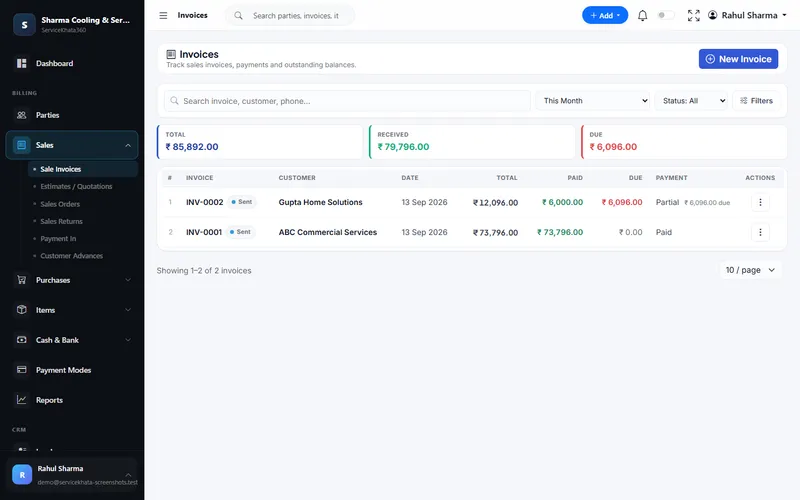
Every payment should be recorded against the invoice it settles, with how it was received — cash, UPI or a bank account. That lets each invoice show one of three states:
- Paid — fully settled
- Partial — something received, balance due
- Unpaid — nothing received yet
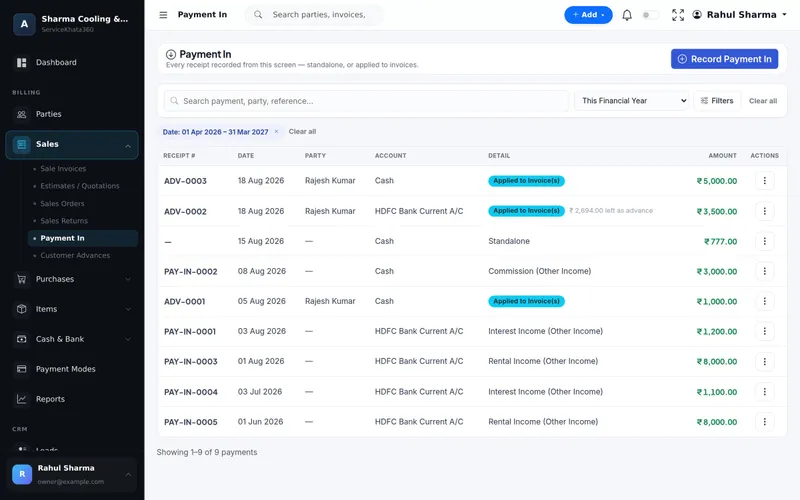
Advance payments — common for new purifier sales and AMC — should be recorded as advances and applied when the invoice is raised, so the customer's balance is always correct.
Chase outstanding payments with a routine
Small unpaid bills are rarely chased because each one feels too small to call about. A weekly routine works better than occasional reminders:
- List all invoices with an amount due, oldest first.
- Call or message the oldest ones — with the invoice number and amount ready.
- For regular business customers, send a statement showing all open invoices together.
- Before the next visit to a customer with dues, remind the technician to collect.
Keep billing tied to the customer record
When invoices and payments sit on the customer's record, every conversation gets easier. The office can see in one place what a customer has bought, which AMC they have, what they paid and what is still due. A technician who knows a customer owes ₹1,800 from last month can collect before starting new work. For how billing fits with complaints, technicians and stock, see our guide on managing an RO service business.
Billing mistakes that cost RO businesses money
- Billing only the visiting charge and forgetting the filter that was replaced.
- Different technicians charging different rates for the same work.
- Collecting cash on site without recording it against an invoice.
- Issuing GST invoices without the customer's GSTIN, then reissuing them later.
- Not invoicing quarterly or monthly AMC instalments on time.
How ServiceKhata360 handles RO billing
ServiceKhata360 keeps service charges and spare parts as items with HSN/SAC and tax, so they fill in on estimates and invoices. Estimates can be converted into GST invoices. Invoices calculate CGST and SGST or IGST from the place of supply, and billing a part reduces its stock. Each invoice shows total, received and due amounts with a Paid, Partial or Unpaid status. Payment In records receipts against invoices, as an advance or as other income, in cash or a specific bank account.
The customer page shows every invoice and payment and whether the customer is settled or has an amount due. Reports include sales ageing, party statements and GST reports such as sales and purchase registers. ServiceKhata360 prepares GST invoices and reports for your accountant; it does not file returns on the GST portal.
See how billing connects to service calls, AMC and stock on the RO service management software page, or read about billing and accounting.
Frequently Asked Questions
Should service charges and spare parts be on separate invoice lines?
What GST rate applies to RO parts and service?
Does ServiceKhata360 file GST returns?
Can I see which customers owe money?
Looking for one system to manage your RO service business?
See ServiceKhata360 with your own workflow — complaints, technicians, filter-change visits, billing and AMC renewals.