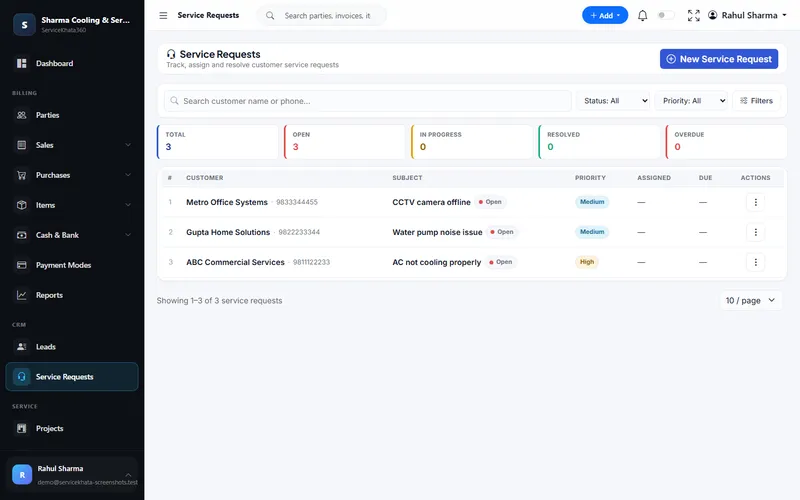
Service Requests
Every device job as a ticket
Subject, priority from Low to Critical, assigned technician and due date — with Open, In Progress, Resolved and Overdue counts.
More about Service RequestsLog every laptop, desktop and printer complaint as a ticket, assign the technician, track parts in stock, check serial number and warranty, and bill the job — with the full history kept against the customer.
Which invoice was this laptop sold on? Is it still under warranty? Is the part in stock? Answering from memory slows every job.
Complaints written in a register, with no priority or due date.
Finding the original sale means searching old bills.
RAM, SSDs and adapters are "probably" in the drawer.
Devices waiting for parts sit on the shelf unseen.
Many devices per customer, each with its own serial number and warranty.
Parts and service charges re-typed into another billing app.
The IT / computer service workflow from the ServiceKhata360 catalogue — customer, complaint, technician, parts, resolution and payment.
Every screen below is a real ServiceKhata360 screen captured with demo data. Click any screenshot to enlarge it.
Subject, priority from Low to Critical, assigned technician and due date — with Open, In Progress, Resolved and Overdue counts.
More about Service Requests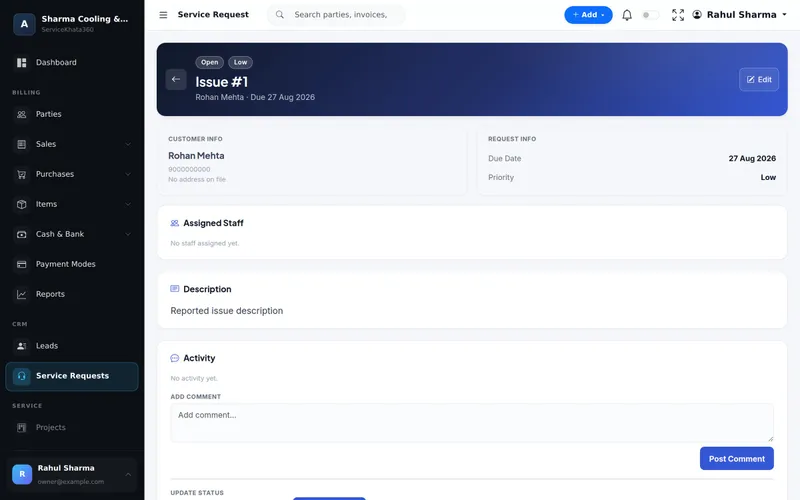
Customer info, due date, priority, assigned staff, description, and an activity log of comments and status updates.
More about Service Requests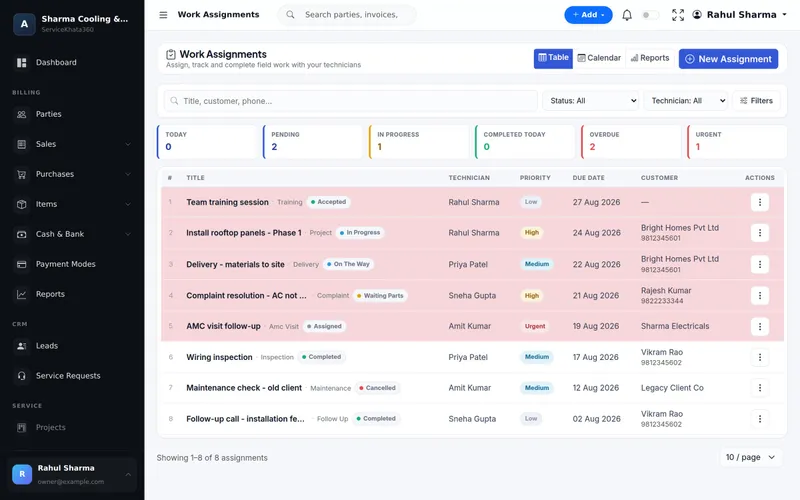
Jobs per technician with priority, due date and status — including Waiting Parts, so stuck devices are never forgotten.
More about Work Assignment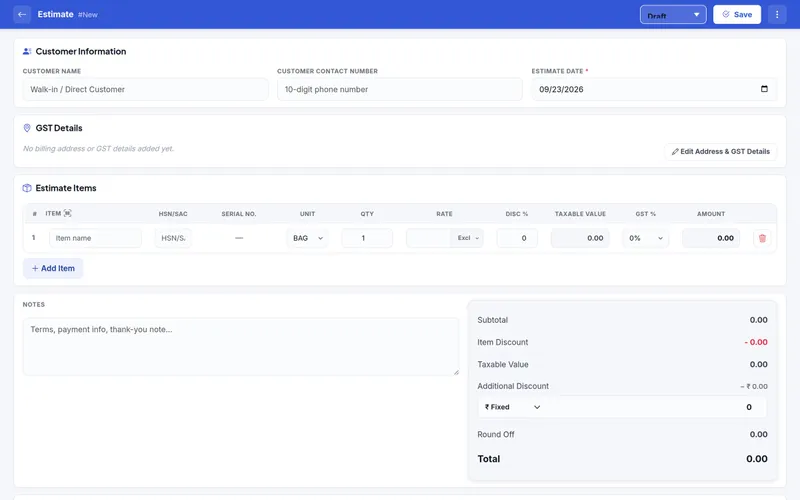
Estimates and invoices carry a serial number per unit, which feeds the Serial Number Report: status, purchase origin and — once sold — customer and invoice.
More about Estimates & Invoices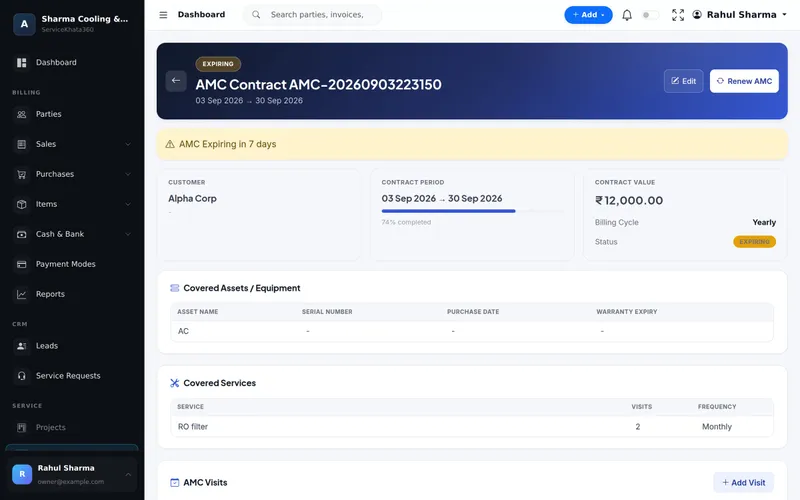
Covered assets with asset name, serial number, purchase date and warranty expiry; covered services with visits and frequency.
More about AMC Management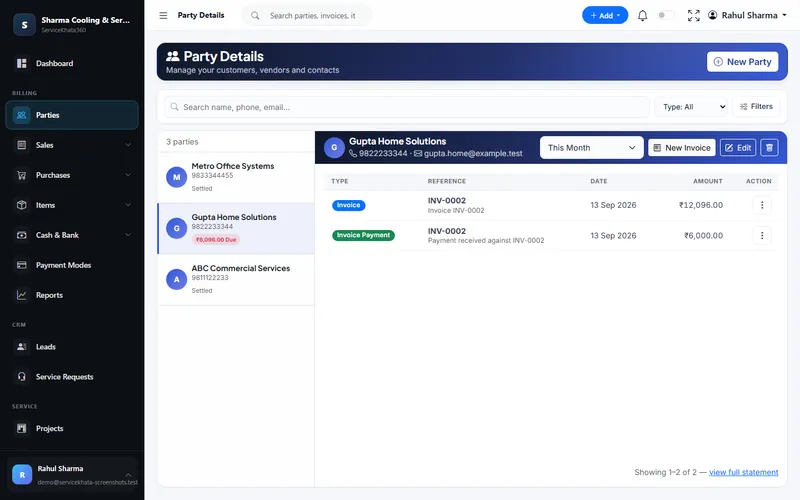
Every invoice and payment for the customer, and whether anything is still due.
More about Service CRM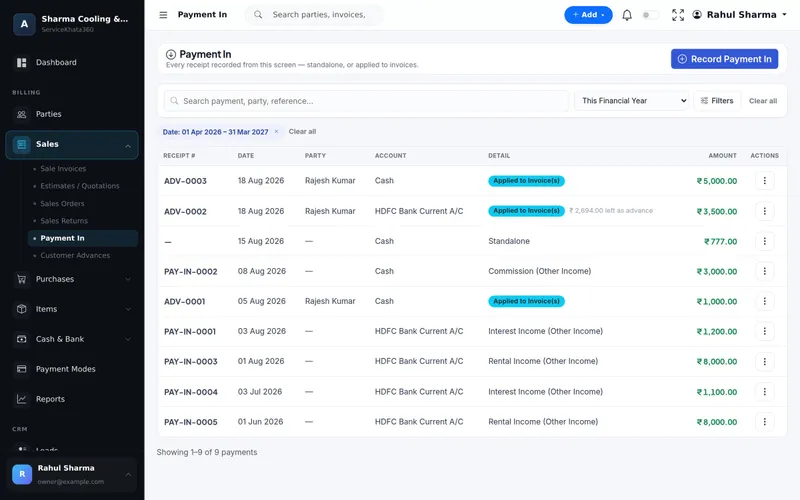
Receipts applied to the invoice, standalone, or kept as advance — in cash or a bank account.
More about Billing & AccountingWant to see these screens with your own items and customers? We'll set up a demo around your computer service workflow.
Book a Free DemoThe sale, the serial number, every ticket, every part billed and every payment belong to the same customer. When the laptop comes back, you know where it was sold, to whom, and whether it is still in warranty.
Enter data once, and let it flow.
All of these are part of the same platform — sharing one database, so nothing has to be reconciled by hand.
Tickets with priority, technician, due date and status.
Comments and status updates on each ticket.
Jobs per technician, including Waiting Parts.
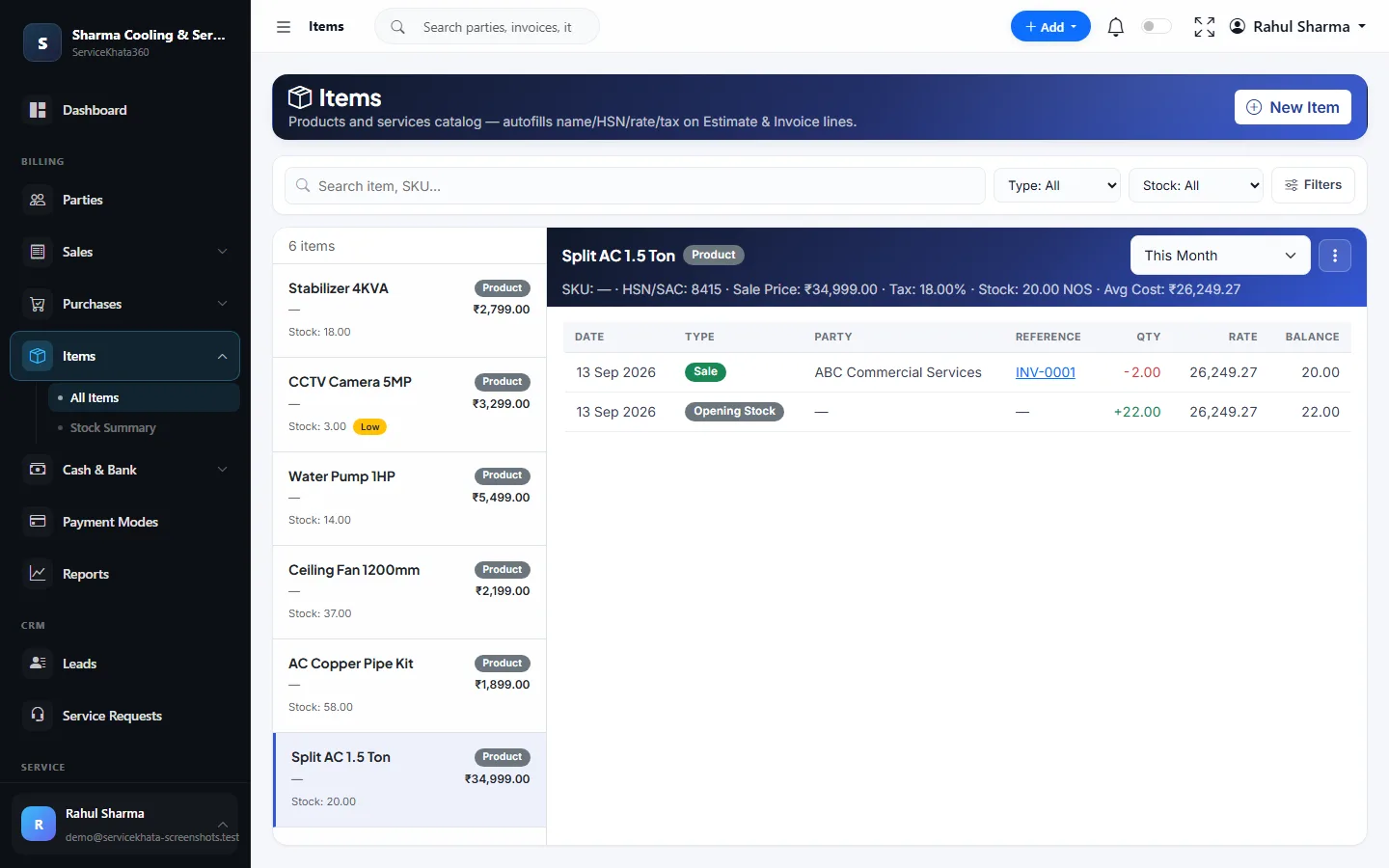
Live stock, average cost and low-stock alerts.
Serial number per unit on estimates and invoices.
Status, purchase origin, customer and invoice per serial.
Warranty period for serialised products.
Covered devices with serial number and warranty expiry.
Parts purchases update stock and average cost.
Parts and service on one invoice.
Invoices, payments and dues on one page.
Status, priority, assignee, ageing and resolution.
Nothing lives only in a register or a chat.
Search the serial number before accepting the job.
Live stock with low-stock alerts.
Waiting Parts shows which devices are on hold.
Each device with serial number and warranty expiry.
One GST invoice, stock reduced automatically.
Past tickets and invoices on one customer.
See which tickets take too long, and why.
Based on the computer service example in the ServiceKhata360 catalogue.
Illustrative scenario showing how existing ServiceKhata360 modules fit together — not a customer testimonial.
See this flow in a demoLaptop with a display issue; the customer is found in the party list.
A service request with priority and due date.
The Serial Number Report shows the invoice it was sold on, to whom, and whether it is still in warranty.
A work assignment for the bench technician.
Findings added as comments in the activity log.
Status set while the part is ordered.
The purchase bill adds it to stock.
The request is marked Resolved with remarks.
If out of warranty, part and service charge go on one GST invoice.
Payment recorded; the invoice shows Paid.
One plan, every module
Plans include Billing, Accounting, Inventory, CRM & Sales, Service, Workforce and Automation — no separate add-ons. Some advanced items (for example Projects or extra firms) depend on the plan; our team will confirm what fits your business.
See ServiceKhata360 with your own workflow — tickets, technicians, parts, serial numbers, warranty, billing and AMC.
Mon–Sat · 10:00 AM – 6:00 PM IST