How to Manage an RO Water Purifier Service Business
A practical guide for RO dealers and service providers: customer records, service calls, technicians, filter stock, estimates, billing, payments and follow-ups — run as one system instead of from memory.
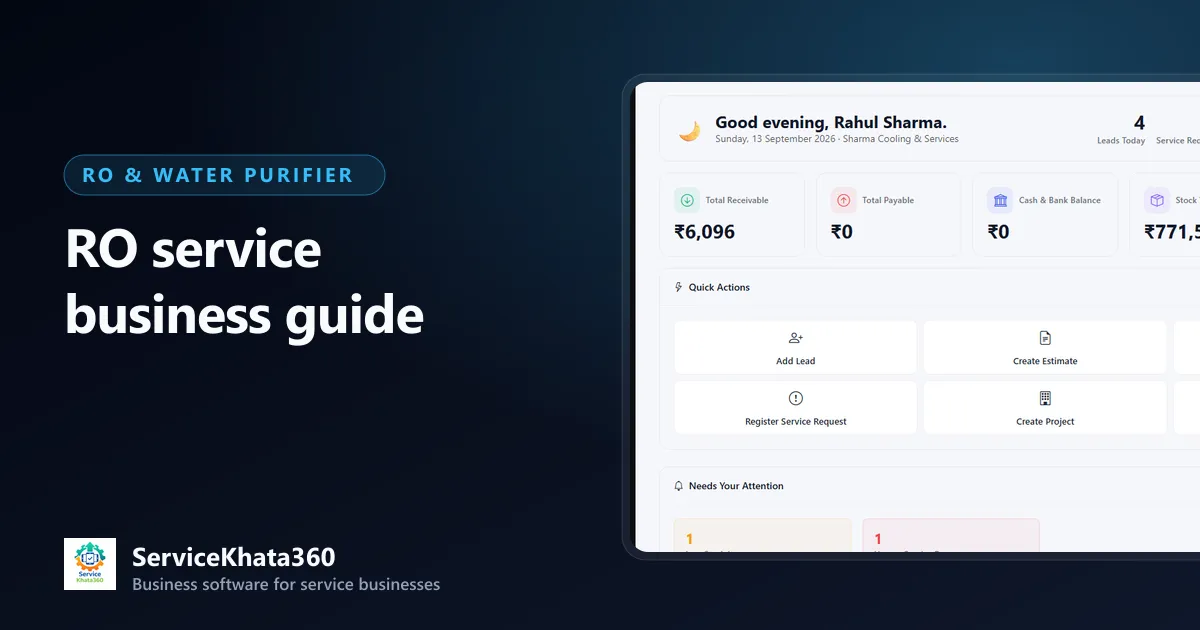
An RO water purifier business looks simple from the outside: install a purifier, change filters, attend complaints. In practice it is one of the most repetitive service businesses there is. The same customer calls about low water flow in March, needs a filter change in June, asks for an AMC quotation in August and complains about taste in November. Each of those is small. Together, across a few hundred customers and three or four technicians, they are hard to keep track of on WhatsApp, a diary and an Excel sheet.
This guide is for RO dealers, installation companies and service providers who want to run the business on a system instead of memory. It covers customer records, service calls, technicians, spare parts, estimates, billing, payments and follow-ups — the full loop.
Why RO businesses outgrow WhatsApp and diaries
Most RO businesses start with the owner taking every call. That works while the owner remembers every customer. It stops working when:
- Complaints arrive on three different phones and nobody knows which ones were attended.
- A technician changes a membrane but the bill only shows the visiting charge.
- A customer says "you changed the filter only four months ago" and there is no record to check.
- AMC contracts expire and nobody calls the customer before a competitor does.
- Money is "pending" with dozens of customers, but nobody has the full list.
None of these need a big ERP. They need one shared record for each customer, with every call, visit, bill and payment attached to it.
1. Start with a clean customer record
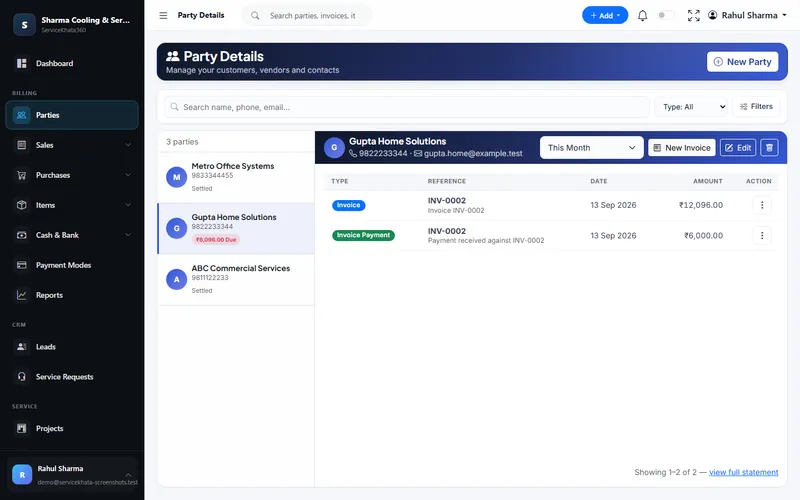
In an RO business, the customer is the asset. Every future filter change, AMC and referral comes from people you have already served. A useful customer record has:
- Name, mobile number and full address with a landmark (technicians lose a lot of time finding houses)
- Customer type — home, office, shop, school, society, clinic
- The purifier: brand, model, type (RO, RO+UV, RO+UV+UF, under-sink, commercial plant) and installation date
- Serial number and warranty expiry, if you sold the unit
- GSTIN for business customers who need GST invoices
Search by mobile number before creating a new customer. Duplicate records are the main reason service history gets split and lost.
2. Log every service call as a ticket
A phone call or WhatsApp message is not a record. Turn each one into a service request with:
- The customer it belongs to
- The problem in plain words — "low water flow", "water tastes salty", "leaking from below", "machine not starting"
- Priority — a commercial purifier in a school is more urgent than a slow home unit
- A due date you can actually meet
- The technician assigned
Once every complaint is a ticket, you can answer the questions that matter: how many calls are open today, which are overdue, and which customers keep calling. We cover this in detail in how to manage RO service calls and technician assignments.
3. Give technicians a clear day plan
RO technicians usually do a mix of installations, complaint visits and AMC filter changes in one day. Plan by area to cut travel time, and give each technician one list for the day rather than a series of calls and forwarded messages. After every visit the technician should record what was done — "sediment and carbon filters replaced, TDS checked" — so the next technician starts with the history, not from zero.
4. Control spare parts and filter stock
Filters, membranes, pumps, SMPS adapters, solenoid valves and UV lamps are the products an RO business sells most often. Two things go wrong with them: stock runs out when a technician needs it, and parts used on a visit never reach the bill. Keep every part as an item with a purchase and sale price, a GST rate and a low-stock level, and make sure stock only moves through purchase bills and invoices. Read our guide on RO spare parts and filter inventory for a full checklist.
5. Quote before you replace
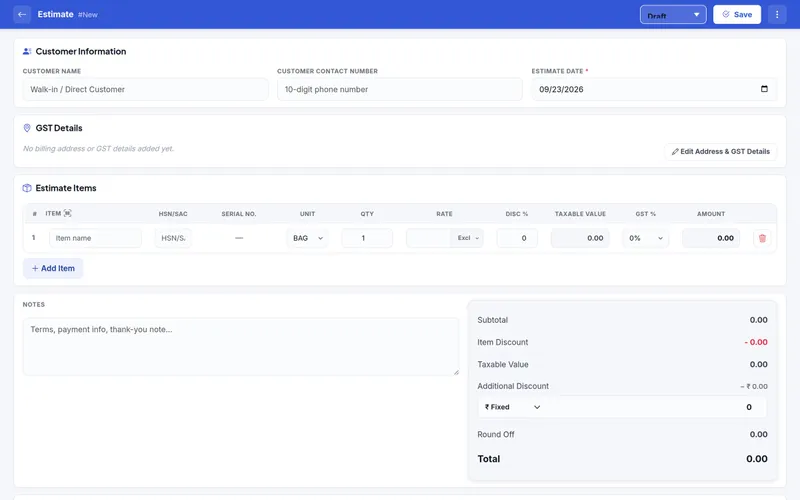
For anything beyond a routine filter change — a membrane, a booster pump, a full service with several parts — send the customer an estimate first. A short itemised estimate (parts, service charge, GST) avoids the most common argument in RO service: "you didn't tell me it would cost this much". When the customer agrees, convert the same estimate into an invoice so nothing has to be typed twice.
6. Bill every visit, the same day
Every chargeable visit should end with an invoice that lists the service or visiting charge and each part separately. Bills raised a week later are often missing parts, and customers are less willing to pay for work they have already forgotten. If you are GST-registered, the invoice should carry HSN/SAC codes and the correct tax split. The RO billing and payment guide covers this step in more detail.
7. Collect payments and track what is outstanding
Small RO bills are easy to let slide — ₹450 here, ₹1,200 there. Over a year they add up. Record every payment against the invoice it settles, whether it came in cash, UPI or bank transfer, and check outstanding amounts weekly. Before a technician visits a customer, it helps to know whether that customer already owes money.
8. Turn service customers into AMC customers
AMC is the steadiest income an RO business can build. Customers who have just had a repair or a filter change are your best AMC prospects, because they have seen your work. A contract that records covered services, number of visits and the end date gives you a reason to visit the customer through the year — and a renewal conversation before it expires. See how to manage RO AMC customers and service renewals.
9. Follow up on time
Follow-ups are where most RO revenue is quietly lost:
- Filter changes due for customers without an AMC
- Estimates sent but not answered
- AMC contracts expiring in the next month
- Outstanding payments older than a few weeks
Pick one person and one day a week to go through these lists. The routine matters more than the tool.
A simple weekly routine for RO owners
- Monday — review open and overdue service requests; reassign anything stuck.
- Tuesday — check low-stock filters and membranes; place supplier orders.
- Wednesday — follow up on pending estimates.
- Thursday — call AMC customers whose contracts expire in the next 30–45 days.
- Friday — review outstanding payments and call the oldest ones first.
Common mistakes to avoid
- Keeping complaints only in WhatsApp chats on personal phones.
- Letting technicians bill verbally or on paper slips that never reach the office.
- Selling AMC without writing down what is covered and how many visits are included.
- Creating a new customer record every time someone calls from a different number.
- Treating spare parts as "small items" that do not need stock tracking.
Where ServiceKhata360 fits
ServiceKhata360 brings these steps into one system. Customers are kept as parties with their invoices, payments and dues on one page. Service requests carry the customer, subject, priority, technician, due date, an activity log and a status from Open to Closed. Work assignments give each technician a dated list of jobs. Filters and spares are items with live stock and low-stock alerts, estimates convert into GST invoices, Payment In records receipts against invoices, and AMC contracts track covered services, visits and expiry.
It does not replace your judgement about pricing or which technician to send — it keeps the record so those decisions are easier. See the complete RO service management software page for how the workflow connects, from first complaint to AMC renewal.
Frequently Asked Questions
What is the most important record in an RO service business?
Should I keep separate software for billing and service calls?
Can a small RO business with two technicians use a system like this?
Looking for one system to manage your RO service business?
See ServiceKhata360 with your own workflow — complaints, technicians, filter-change visits, billing and AMC renewals.