What Is CCTV CRM Software and Why Do CCTV Dealers Need It?
A plain-language guide to CCTV CRM software: what it actually does for a CCTV dealer or installer, where WhatsApp and Excel fall short, and what to check before you choose one.
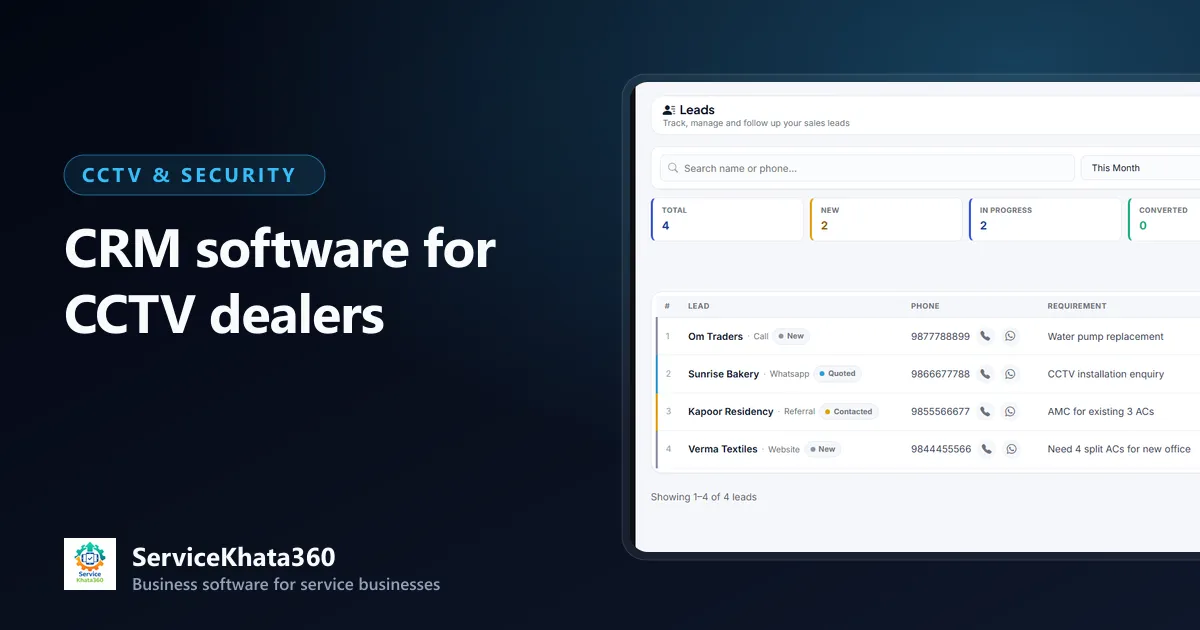
Ask a CCTV dealer where their enquiries are and the honest answer is usually "on my phone". Some are in WhatsApp chats, some are missed calls, a few are in a diary, and the quotations are PDFs sent from a laptop. That works when you do a handful of installations a month. It stops working when you have a sales person, two or three technicians, a store, and a growing list of AMC customers.
This guide explains what CCTV CRM software actually is, what it should do for a dealer or installer, and how to judge whether you need one now.
What is CCTV CRM software?
CRM stands for customer relationship management. In a CCTV business it means one system that remembers every customer and every interaction with them — from the first enquiry to the installation, the invoice, the AMC and every complaint after that.
A generic CRM tracks leads and deals. A CRM that is useful for a CCTV business has to go further, because your work does not end at the sale. A typical camera job touches:
- Sales — enquiry, site survey, quotation and follow-up
- Store — cameras, DVR/NVR, hard disks, cable and accessories leaving for site
- Technicians — installation, configuration and later service visits
- Accounts — GST invoice, advance, balance payment
- After-sales — AMC contract, preventive visits, "camera offline" complaints and renewals
When each of these lives in a different place, the customer record is broken into pieces. CCTV CRM software joins those pieces.
Where WhatsApp, Excel and billing software fall short
WhatsApp is a channel, not a record
WhatsApp is where enquiries arrive, and that will not change. The problem is that a chat has no owner, no status and no next step. If a customer asked for an 8-camera quotation two weeks ago and nobody replied, nothing on the phone tells you that.
Excel needs someone to keep it updated
A lead sheet or an AMC sheet is better than nothing. But spreadsheets do not remind anyone, they do not connect to invoices, and they quietly go out of date the week the person maintaining them is busy on site.
Billing software only sees the sale
Billing software records what you sold. It does not know the enquiry that came before, the site survey, the material that went to site and came back, or the complaint that came a year later.
What a CCTV CRM should do — a practical checklist
Use this list when you evaluate any software, including ours.
1. Capture every enquiry with an owner and a next date
Each enquiry should become a lead with its source (call, WhatsApp, referral, walk-in, website), the requirement, an assigned salesperson and a next follow-up date. The follow-ups due today should be visible without searching. We cover this in detail in how CCTV dealers can track installation leads and follow-ups.

2. Turn a lead into a quotation without re-typing
Your quotation should be built from an item catalogue — cameras, DVR, hard disk, cable, labour — with HSN/SAC codes and GST rates filled in. When the customer approves, the same quotation should become the invoice.
3. Treat installations as jobs with material attached
An installation needs assigned staff, a status and a record of material issued to site and returned. Otherwise stock and billing never match.
4. Keep stock connected to purchases and sales
Purchases should add stock, invoices should reduce it, and serial numbers should be recorded for units with warranty. See our guide to tracking CCTV camera, DVR and installation inventory.
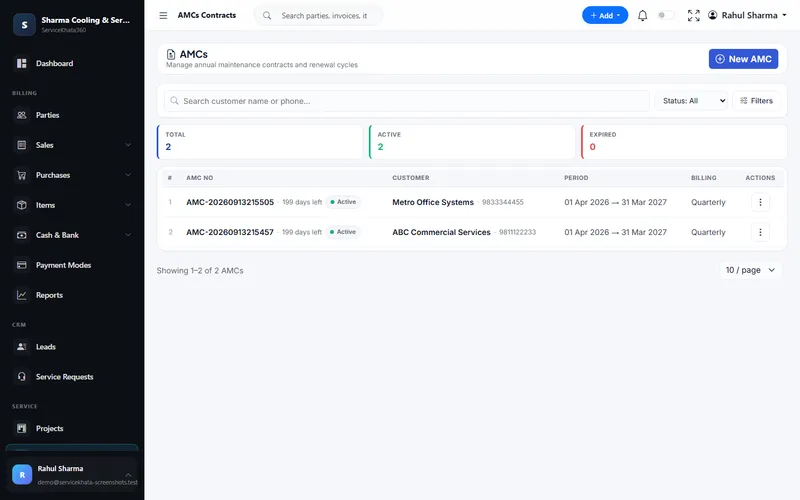
5. Track AMC as recurring revenue
Contracts need a period, value, billing cycle, covered equipment and scheduled visits — and the system should flag contracts before they expire.
6. Log complaints as tickets
"Camera offline" should become a service request with a priority, an assigned technician and a due date — and it should land on the same customer record as the original installation.
7. Give technicians their own access
Technicians should see their own jobs, not the full customer list or your margins. Look for role-based permissions.
8. Reports you will actually use
Open leads by salesperson, pending payments, AMCs expiring this month, complaints overdue, stock below reorder level. If you cannot see these in a minute, you will stop looking.
Signs your CCTV business needs a CRM now
- You have found a quotation you forgot to follow up — after the customer bought elsewhere.
- You cannot say, today, how many AMCs expire next month.
- Stock in the register and stock on the shelf disagree regularly.
- Technicians call the office to ask the customer's address or what was installed last time.
- You are the only person who knows the status of every job.
If two or more of these are true, the cost of not having a system is already higher than the cost of one.
How ServiceKhata360 fits a CCTV business
ServiceKhata360 was built for service businesses that sell, install and maintain — which is exactly the shape of a CCTV business. Leads, sales visits, GST estimates, projects with material issue and return, inventory with serial numbers, GST invoices, payments, service requests, work assignments and AMC contracts share one database, so the customer's full history is on one page.
You can see the complete workflow and real screens on our CCTV business management software page. For specific modules, see lead management and AMC management.
A practical way to start
You do not need to move everything on day one. Most dealers start with three things:
- Log every new enquiry as a lead with a next follow-up date.
- Enter your item catalogue and current stock, then create every quotation and invoice from it.
- Enter your active AMC contracts with their end dates.
Within a month you will have something WhatsApp and Excel never gave you: one list of what needs attention today.
Frequently Asked Questions
Is a CRM useful for a small CCTV business with 2–3 technicians?
Can I keep using WhatsApp with a CCTV CRM?
What is the difference between CCTV CRM software and billing software?
Does ServiceKhata360 file GST returns?
Looking for one system to manage your CCTV business?
See ServiceKhata360 with your own workflow — leads, quotations, projects, stock, billing, service and AMC.