CCTV Quotation and Billing Management: A Practical Guide
How to prepare CCTV quotations customers can compare, keep quotation and invoice in sync, handle GST correctly and collect advances and balances without confusion.
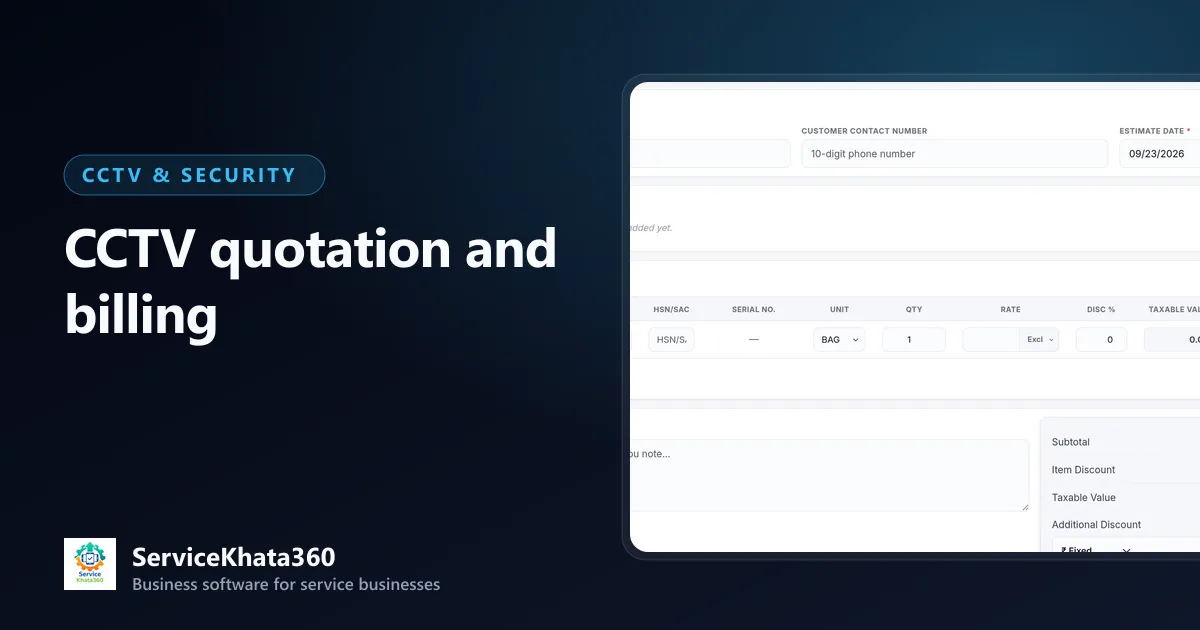
A CCTV quotation is often the first serious document a customer sees from you. A clear quotation wins trust; a vague one ("8 camera set – ₹XX,XXX") invites comparison on price alone. Billing then has to match what was quoted — or explain the difference.
This guide covers how to quote CCTV jobs clearly, move from quotation to GST invoice without errors, and collect payments without confusion. It is general guidance; confirm tax rates and treatment with your accountant.
What a good CCTV quotation includes
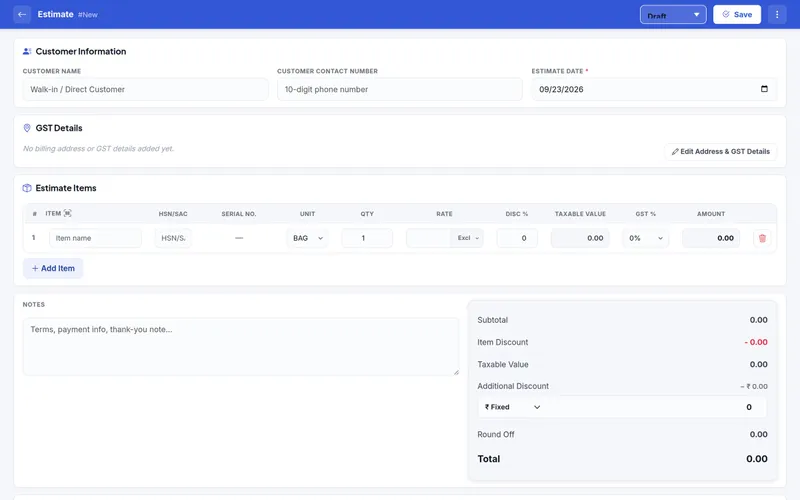
Itemised hardware
- Cameras — type, resolution, indoor/outdoor, brand and model
- DVR or NVR — channels and model
- Hard disk — capacity, and roughly how many days of recording it gives
- Power supply, cable, connectors, PoE switch, rack or box as applicable
Services as separate lines
- Installation and cabling
- Configuration and mobile viewing setup
- Any civil work, conduit or extra cable at a per-metre rate
Terms
- GST per line with HSN/SAC
- Warranty terms for products and workmanship
- Payment terms — advance and balance
- Validity of the quotation
- What is not included
Speed: quote from a catalogue, not from memory
If every quotation is typed from scratch, it takes an evening and contains mistakes. Keep an item catalogue with names, HSN/SAC codes, rates and GST already set. Building a quotation then means picking items and quantities. For common jobs — a 4-camera home kit, an 8-camera shop setup — keep a previous quotation as a starting point.
Offer options, not just one price
Many customers compare your quotation with a cheaper one that uses lower-resolution cameras or a smaller hard disk. Showing two options — a standard and a better configuration — moves the conversation from "who is cheaper" to "what do I need".
From quotation to invoice without re-typing
When the customer approves, the quotation should become the invoice — not be retyped. Re-typing is where mismatched quantities, wrong GST rates and missing labour lines come from.
For installation jobs, bill what was actually used. If the job used 20 metres more cable than quoted, the invoice should show it at the quoted per-metre rate. This is easier when material issued to site is recorded against the job, as explained in our CCTV inventory tracking guide.
GST basics to get right
- Use the correct HSN code for each product and SAC for services.
- Apply CGST + SGST for customers in your state and IGST for other states.
- Record the customer's GSTIN on B2B invoices.
- Keep invoice numbering continuous within the financial year.
Your software should handle the tax breakup; your accountant should confirm rates and filing.
Advances, part payments and balances
Most CCTV installations take an advance. Problems start when that advance is recorded in a notebook and forgotten when the final bill is made. A clean process:
- Record the advance when received, with payment mode and account.
- Raise the invoice after installation.
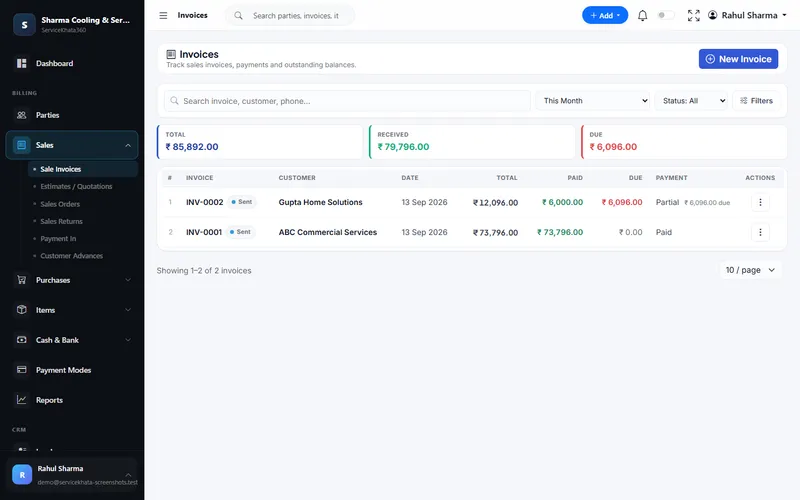
- Apply the advance to the invoice; the invoice shows the remaining balance.
- Record each later payment against the same invoice until it is Paid.
Follow up on dues like you follow up on leads
A weekly list of partially paid and unpaid invoices, sorted by age, is enough for most businesses. Call the oldest first. If your WhatsApp is linked to your billing system, sending the invoice PDF directly also cuts "please send the bill again" delays.
How ServiceKhata360 handles quotations and billing
ServiceKhata360 estimates and invoices support HSN/SAC, serial number per line, GST slabs, CGST/SGST or IGST, discounts and round-off, and print in one of five themes with your logo, signature, stamp, bank details and UPI QR. An accepted estimate converts into an invoice; installation projects can be converted into a GST invoice directly. Payment In applies receipts to invoices or keeps them as customer advances. GST reports such as sales and purchase registers are available for your accountant — ServiceKhata360 does not file returns on the GST portal.
Read more about estimates and invoices and billing and accounting, or see the complete CCTV dealer and installer workflow.
Frequently Asked Questions
Should labour be shown separately on a CCTV quotation?
Can I convert an accepted quotation into an invoice?
How do I handle an advance taken before installation?
Looking for one system to manage your CCTV business?
See ServiceKhata360 with your own workflow — leads, quotations, projects, stock, billing, service and AMC.