How to Track Solar Installation Materials and Inventory
Panels, inverters, structure, DC and AC cable, earthing kits — how solar installers can keep store and site stock accurate and know what each project actually consumed.
In a solar business, the material on a single rooftop job can be worth more than a month's profit. Panels, inverters, structure, DC and AC cable, connectors, earthing kits and protection devices move from distributor to store, from store to site, and sometimes back again. If those movements are not recorded, stock and job costs become guesses.
This guide explains how solar installers can keep material and inventory accurate without slowing down the installation team.
Why solar inventory is tricky
- High-value items — a few missing panels is real money.
- Bulk items used partially — cable drums, structure members, earthing material.
- Stock at site — material lies on a roof for days before installation finishes.
- Prices change — panel and inverter purchase prices move between orders.
- Warranty by serial number — panels and inverters are claimed by serial.
1. A clean item catalogue
Create items with consistent names (make – type – wattage/capacity – model), the right unit (piece, metre, set, kg), HSN code, GST rate and a low-stock level for items that stop jobs when they run out. Avoid duplicates; they split stock in two.
2. Purchases update stock and cost
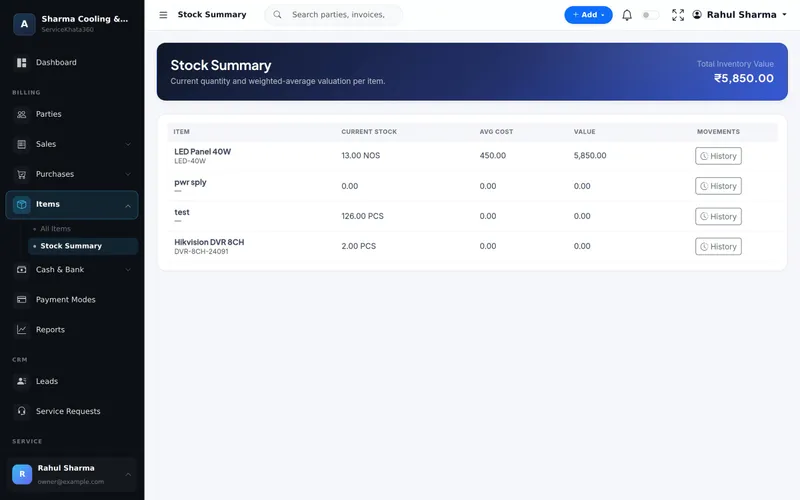
Enter every distributor bill as a purchase bill. It adds stock and updates the average cost, so your stock value reflects what you actually paid — not last year's price.
3. Issue material to the project, not "to site"
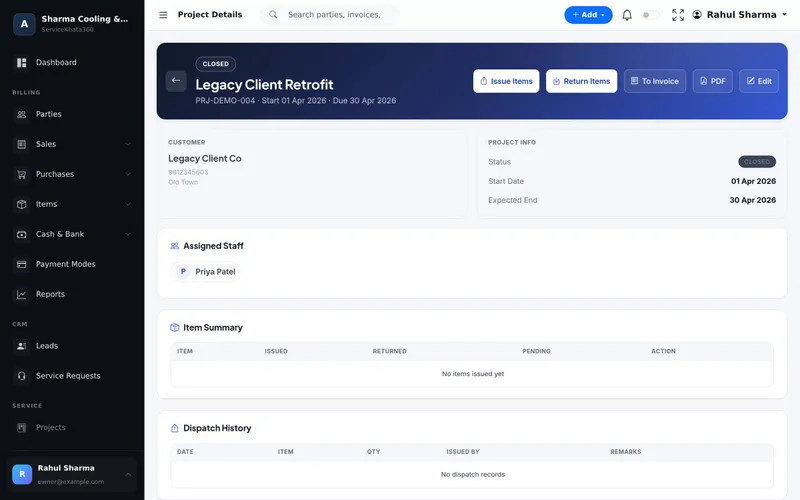
When material leaves the store for an installation, record it against that project: item, quantity, date, who issued and who received. For panels and inverters, note serial numbers. This is the most important step — it turns "material went to the Sharma site" into a record you can check.
4. Record returns with their condition
After installation, count what comes back — half a cable drum, spare connectors, an extra panel — and record it as a return against the project with its condition: good, damaged or lost. Good items go back into stock; damaged and lost items are visible instead of silently disappearing.
5. Know what each job really consumed
Issued minus returned is the job's real material usage. Compare it with the quotation:
- Used more cable than quoted? Bill it if the quotation allowed for it, or improve the next survey.
- Material pending return on a completed project? Follow it up before it disappears.
This comparison, done for every project, shows which jobs actually made money.
6. Serial numbers for warranty
Record panel and inverter serial numbers on the invoice. When a customer reports an inverter fault years later, you can find the invoice, the date and the serial in seconds and file the warranty claim with the manufacturer.
7. Material stored at site
For multi-day installations, keep material at site under the customer's or your supervisor's responsibility and record it as issued. Avoid leaving unrecorded "extra" stock on site "for next time".
8. Regular small counts
Count one category each week — panels, then inverters, then cable. Investigate differences immediately while the movements are recent.
Signs your material control needs work
- You discover a shortage of panels on the day of installation.
- Completed projects still have material "with the team".
- You cannot say what your current stock is worth.
- Warranty claims start with "which bill was that?"
How ServiceKhata360 tracks solar material
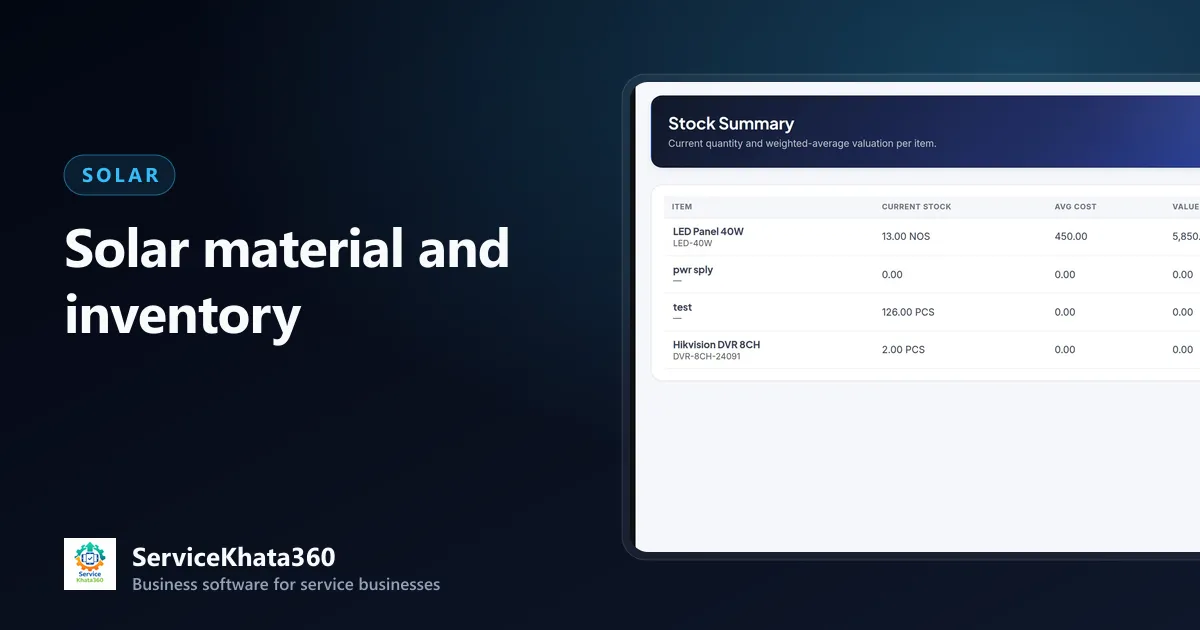
In ServiceKhata360, purchase bills add stock and update weighted-average cost; projects use Issue Items and Return Items (with condition), and show issued, returned and pending quantity per item with a full dispatch and return history. Invoices reduce stock and can carry a serial number per unit, which feeds the Serial Number Report. The stock summary shows quantity, average cost and value per item. Project availability depends on your plan.
See inventory management and project management, or the complete solar business workflow. For the project side, read how to manage solar installation projects.
Frequently Asked Questions
Should solar panels be tracked by serial number?
How do I handle material left over at site?
How do purchases update stock and cost?
Looking for one system to manage your solar business?
See ServiceKhata360 with your own workflow — leads, site surveys, quotations, projects, material, billing and AMC.