How to Manage Solar Installation Projects
Treat every rooftop installation as a project, not a bill. How to plan solar installation stages, assign the team, move material to site, track progress and close the project cleanly.
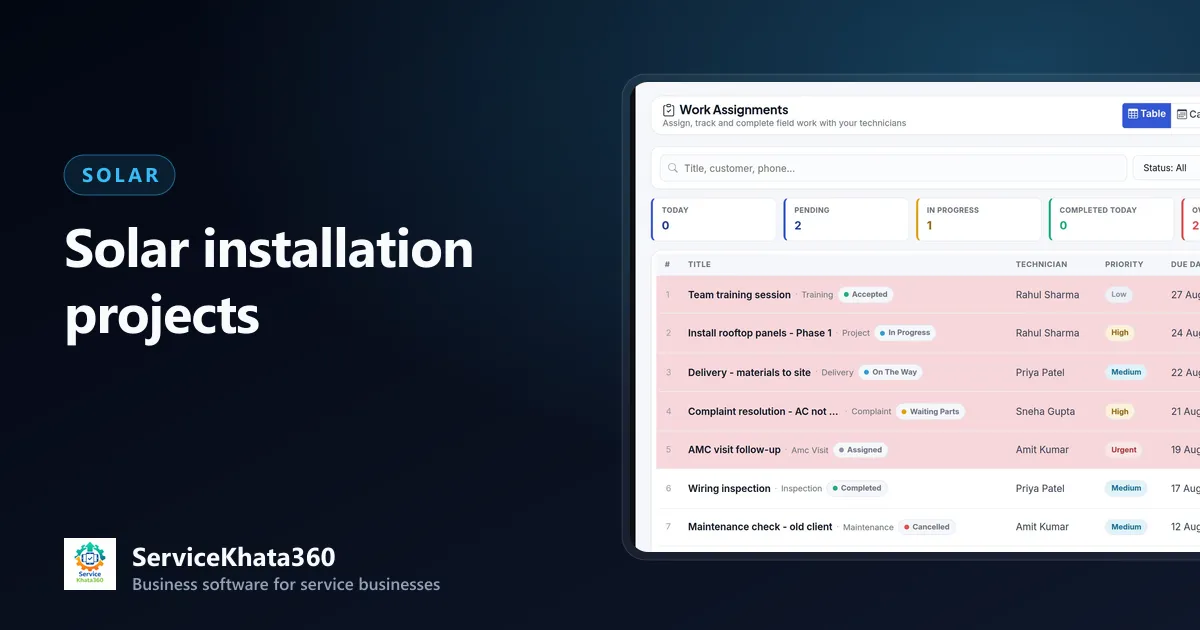
A rooftop solar installation can take anywhere from a day to a few weeks, involves several people and moves a lot of expensive material. Treating it as "one bill" hides everything that happens in between — who is on site, what material went, what is pending, and why it is not finished yet. Treating it as a project makes all of that visible.
When does a solar job become a project?
As soon as the customer accepts the quotation and pays the advance. From that moment, the job has a schedule, a team, material and money attached — everything a project is meant to hold.
Set up the project
- Customer and site
- Reference to the accepted quotation
- Assigned staff — project lead, installation team
- Start date and expected completion date
- Status — Planned, In Progress, On Hold, Completed, Closed
Break the installation into stages
A typical rooftop installation has stages like:
- Material delivery to site
- Structure installation
- Panel mounting
- DC and AC wiring, inverter mounting
- Earthing and protection
- Testing and commissioning
- Customer handover
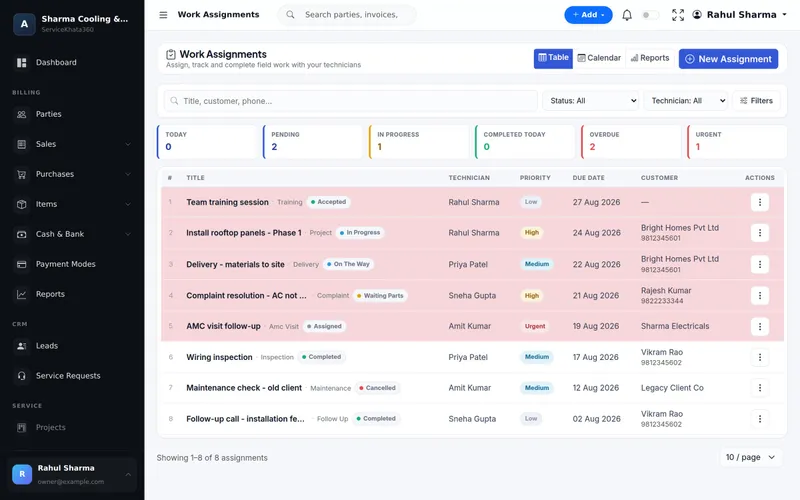
Give each stage a responsible person and a due date. Tracked separately, delays become visible: you see that structure was finished on time but wiring is waiting for a cable delivery.
Move material against the project
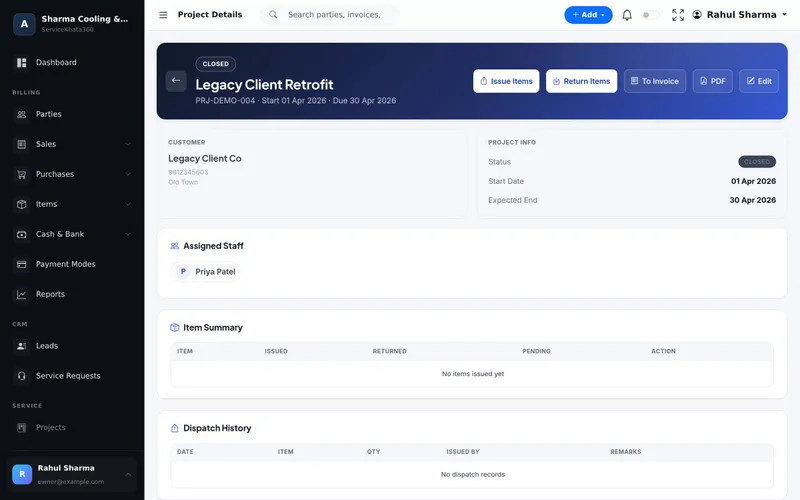
Issue panels, inverter, structure, cable and accessories to the project rather than taking them from the store informally. When the installation is done, record what comes back and its condition. The project then shows what was issued, returned and is still pending — and what the job actually consumed. More in tracking solar installation materials.
Use "On Hold" honestly
Projects stall — roof repair pending, customer travelling, balance payment awaited, material shortage. Mark them On Hold with a note of why. Your active project list then shows the jobs that really need attention today.
Paperwork stages outside the installation
If the customer is applying under a subsidy scheme or for net metering, there are steps with the portal and the DISCOM — applications, feasibility, inspection, meter installation. These happen outside your business software, but you can schedule them as tasks with due dates against the project so they do not slip.
Handover checklist
- System commissioned and generating; inverter display or monitoring app working
- Customer shown basic operation, isolation and safety
- Panel cleaning guidance
- Warranty documents with panel and inverter serial numbers
- Unused material returned and recorded
- Final invoice raised with the advance applied
- AMC offered for cleaning and periodic checks
Close the project with the invoice
When work is complete, the final invoice should come from the project — what was actually supplied and installed — with the advance applied. Then mark the project Completed, and Closed once payment and handover are done. See solar billing and payment management.
What to review weekly
- Projects past their expected completion date
- Projects On Hold and the reason for each
- Material issued but not yet returned on completed projects
- Completed projects not yet invoiced
Running solar projects in ServiceKhata360
ServiceKhata360 projects have a customer, assigned staff, start and expected end dates and a status — Planned, In Progress, On Hold, Completed or Closed — with Issue Items, Return Items (with condition), a dispatch and return history, a project PDF and To Invoice to create the GST invoice. Work assignments track each stage per technician with priority, due date and live status, in a table or calendar. Project availability depends on your plan.
Read about project management, or see the complete flow in ServiceKhata360's solar solution.
Frequently Asked Questions
What project statuses work for solar installations?
How do I track who is working on which solar site?
Can a project be converted directly into an invoice?
Looking for one system to manage your solar business?
See ServiceKhata360 with your own workflow — leads, site surveys, quotations, projects, material, billing and AMC.