Solar Billing and Payment Management Guide
Advances, stage payments, final invoices and balances — how solar businesses can bill projects correctly and always know what each customer still owes.
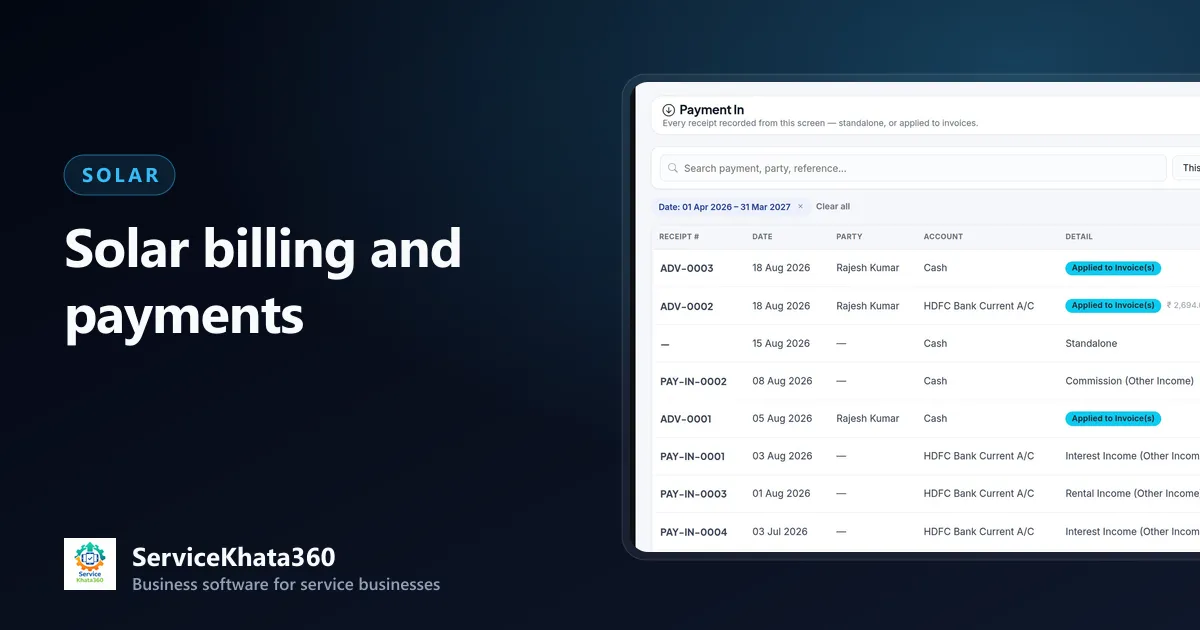
Solar projects involve large amounts and several payments — an advance at booking, a payment when material is delivered, the balance after commissioning, sometimes with a loan disbursement in between. When those payments are tracked in a notebook or across different apps, the final bill becomes a negotiation about what was already paid.
This guide covers how solar businesses can bill projects correctly and always know what each customer owes. For GST rates and treatment, always confirm with your chartered accountant.
Agree the payment schedule upfront
Put the schedule in the quotation, for example:
- Advance on order confirmation
- Payment on material delivery to site
- Balance on commissioning
Write the amounts or percentages clearly. When the schedule is in writing, collecting each instalment is a routine step, not an awkward request.
Record every advance as soon as it arrives
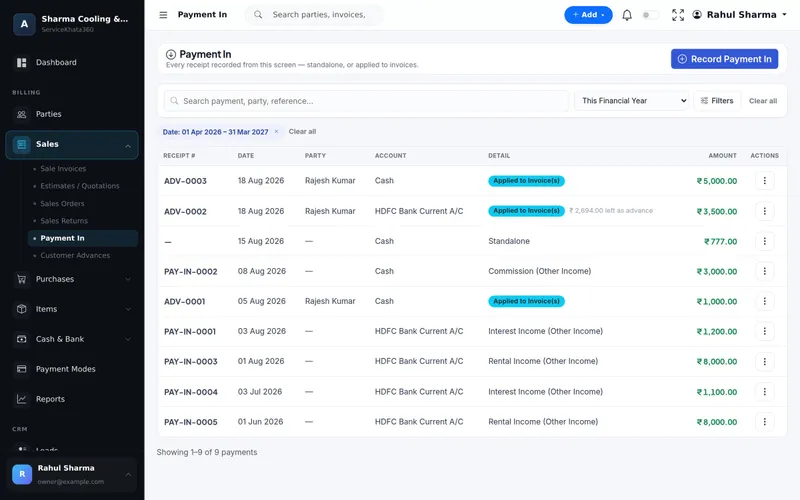
When the customer pays before the invoice exists, record it as a customer advance with the date, amount, payment mode and the account it went into. The customer's balance then shows the money received, and nobody needs to remember it later.
Raise the invoice from what was actually installed
The final GST invoice should reflect what was supplied and installed — from the project's material record, not just the original quotation. Extras agreed during installation (additional structure height, extra cable) go on the invoice at the agreed rates. See tracking solar materials for how to get those figures.
Apply advances to the invoice
Allocate the recorded advances to the final invoice. The invoice then shows exactly what is still due, and the customer can see that every payment they made has been counted. Partial allocation is also common — for example, part of an advance applied to one invoice and the rest kept for an AMC.
GST basics for solar invoices
- Set the correct HSN/SAC and GST rate per line; solar supplies can involve different rates depending on how goods and services are structured.
- Apply CGST + SGST within the state, IGST for inter-state supply.
- Include the customer's GSTIN for commercial customers.
- Keep invoice numbering continuous within the financial year.
Because rules change, have your accountant confirm the current treatment and rates for your invoices.
Track balances weekly
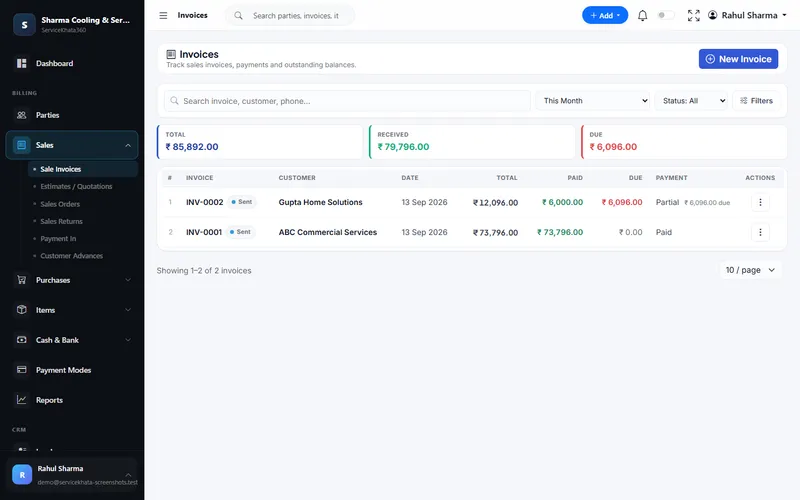
Every week, review invoices that are partially paid or unpaid, oldest first, and follow up. For customers waiting on a loan disbursement or subsidy, record the expected date and follow up then — but keep the balance visible as owed by the customer until it is received.
Make paying easy
- Send the invoice the same day the work is completed.
- Print bank details and a UPI QR on the invoice.
- Send a clear statement showing all payments received so far.
After the project: AMC billing
If the customer takes an AMC for cleaning and periodic checks, bill it on its own cycle — yearly, quarterly or monthly — and keep it on the same customer record as the installation.
Common billing mistakes in solar
- Advance recorded in cash book but not against the customer.
- Final invoice prepared from the quotation, missing agreed extras.
- Same advance counted twice across two invoices.
- Balance written off informally without a record.
How ServiceKhata360 handles solar billing
ServiceKhata360 records customer advances in Payment In and allocates them to invoices later, showing whether each advance is fully or partially allocated. To Invoice on a project creates the GST invoice with HSN/SAC and tax breakup. Invoices show Paid, Partial or Unpaid with the balance due, print with your bank details and UPI QR, and the customer page shows every invoice, payment and amount due. Cash and bank accounts reflect each receipt. GST reports are available for your accountant; ServiceKhata360 does not file returns on the GST portal.
Read more about billing and accounting, or see the full solar business management software workflow.
Frequently Asked Questions
How should advances be recorded before the invoice exists?
What GST rate applies to a rooftop solar system?
Can I see all customers with pending balances?
Looking for one system to manage your solar business?
See ServiceKhata360 with your own workflow — leads, site surveys, quotations, projects, material, billing and AMC.