How to Assign AC Service Calls to Technicians
Dispatching AC technicians by phone works until the season peaks. How to assign service calls by area, skill and workload, track live job status and keep stuck jobs visible.
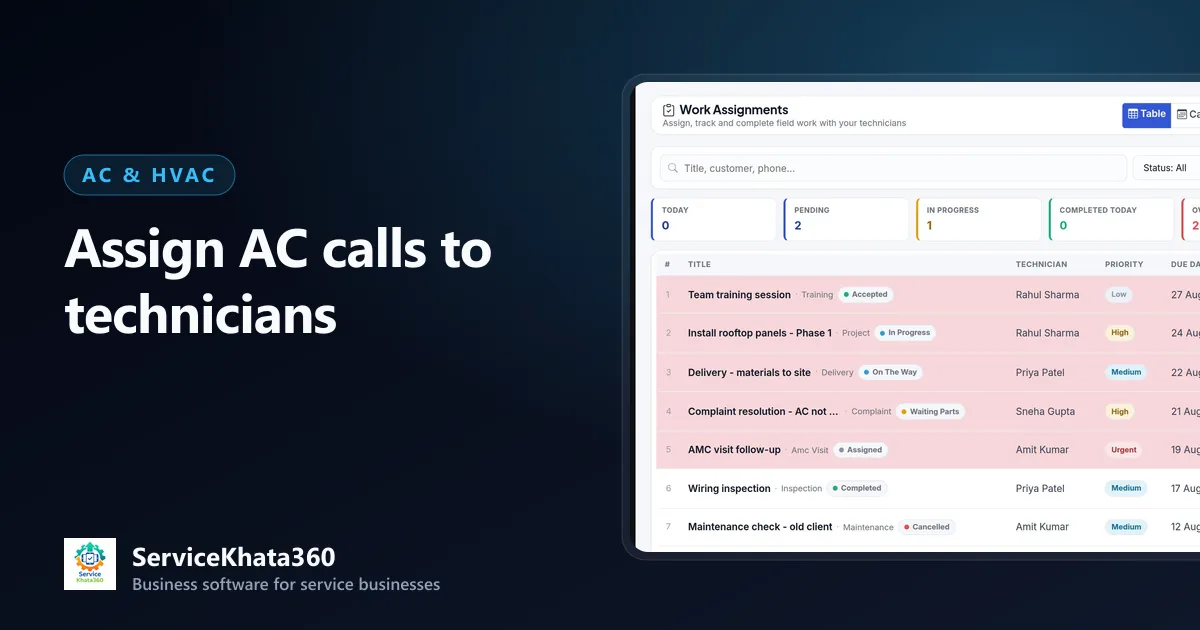
In April and May, the person assigning AC service calls has the most stressful job in the company. Calls come in faster than technicians can finish them, customers want a time slot, and every technician's phone is ringing. Assigning jobs by phone and memory works for three technicians in February. It does not work for six technicians in May.
This guide covers a practical way to assign AC calls: what information the dispatcher needs, how to decide who goes where, and how to keep stuck jobs visible.
Start with a single list of jobs
You cannot assign what you cannot see. Every installation, breakdown call, routine service and AMC visit should be in one list with:
- Customer, address and area
- Job type — installation, breakdown, service, AMC visit, gas refill
- Unit details — brand, type, tonnage
- Priority and due date
- Whether it is under AMC or warranty
How to decide who goes where
1. Area first
Travel is the biggest waste in AC service. Group jobs by area and give each technician a cluster for the day. Two jobs 20 minutes apart are better than two jobs at opposite ends of the city.
2. Skill second
Not every technician should take every job. Gas leak detection, PCB diagnosis and VRF or ductable systems need experienced people. Routine servicing and filter cleaning can go to helpers or junior technicians.
3. Priority third
Commercial sites, medical clinics and elderly customers in peak heat may need to go first. Decide your rules and apply them consistently, so the dispatcher is not judged by whoever calls loudest.
4. Workload last
Before adding a job, check what the technician already has. A calendar view of assigned jobs shows overloaded days before they happen.
Track status, not just assignment
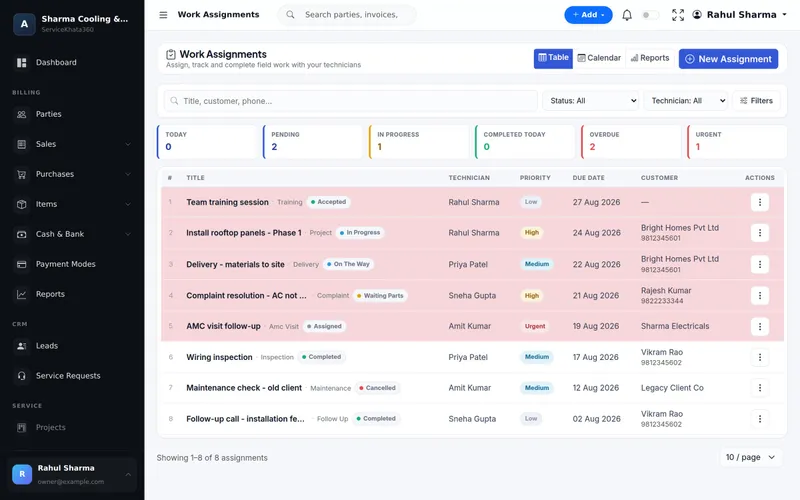
Assigning a job is only the first step. The dispatcher needs to know where each job stands:
- Assigned — given to a technician
- Accepted — the technician has seen it
- On the way — useful to tell a customer who calls asking "when?"
- In progress — at site
- Waiting for parts — needs a part before it can be finished
- Waiting for customer — site locked, customer asked to come later
- Completed or Cancelled
Keep "waiting for parts" visible
The jobs that damage your reputation are rarely the ones in progress. They are the ones where the technician said "I'll come back once the PCB arrives" and nobody tracked it. Review all waiting-for-parts jobs every morning, check with the store, and give the customer an honest date. See managing AC spare parts to reduce these delays.
Tell the customer who is coming
A short message with the technician's name and expected time cuts "where is your technician?" calls sharply and makes the service feel organised.
Give technicians their own view
Technicians should see their own jobs for the day with the address, unit details and job notes — and update the status themselves. They should not need to see your entire customer list or prices.
Review at the end of the day
- Every job assigned today is either completed or has a new status and date.
- Overdue jobs are reassigned or rescheduled with the customer informed.
- Completed jobs with parts used are billed.
Measure fairly
After a few weeks of recorded jobs, look at completed jobs per technician, jobs completed on the first visit, and overdue jobs. Use your own numbers to plan staffing for the next season rather than guessing.
How ServiceKhata360 helps
ServiceKhata360 work assignments give each job a type, technician, priority, due date and live status — Assigned, Accepted, On The Way, In Progress, Waiting Parts, Waiting Customer, Completed or Cancelled — with table, calendar and report views. Service requests link complaints to the same customer. Roles with "view own" permissions let technicians sign in and see only their work, and with your WhatsApp number linked, a workflow can send technician details to the customer when a complaint is assigned.
Explore work assignment and scheduling, or see the complete AC service management software workflow.
Frequently Asked Questions
How many AC service calls can one technician handle in a day?
What job statuses should I track?
Can I see technician workload on a calendar?
Looking for one system to manage your AC service business?
See ServiceKhata360 with your own workflow — enquiries, estimates, technicians, service calls, billing and AMC.